DMS-1200 Release 6 Operations Manual
Section 1 – DMS-1200 Release 6 Overview 10
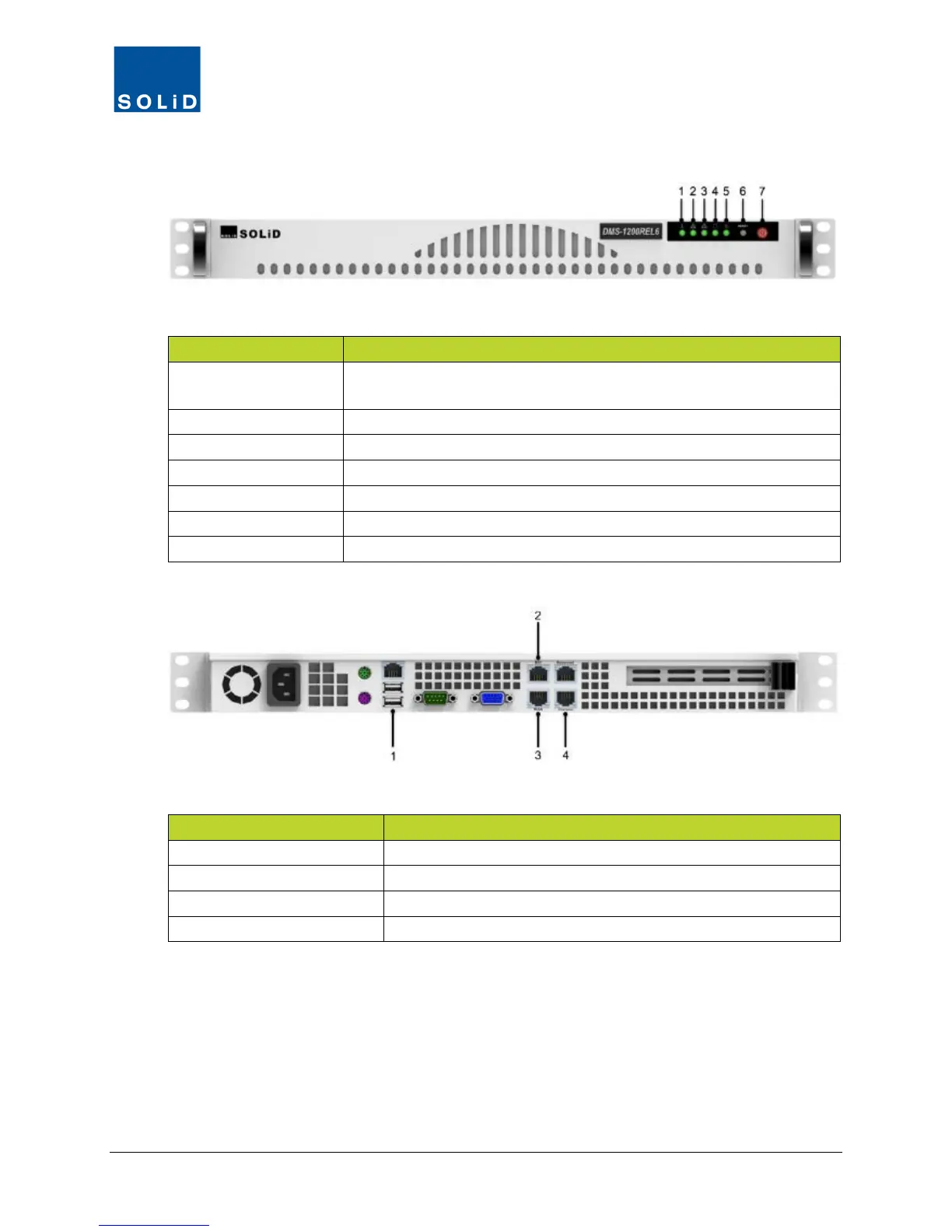
1.2 DMS-1200 Front / Rear Panel
Figure 1.3 – DMS-1200 Front Panel View
1. System Overheat
Green indicates DMS operating within normal temperature range. Red
indicates DMS internal temperature exceeds normal range.
Flashing indicates WAN port has active transmission
Flashing indicates Console port has active transmission
Flashing indicates system is handling a process
Green indicates unit receiving power
Reset button (reboots server)
Table 1.3 – DMS-1200 Front Panel
Figure 1.4 – DMS-1200 Rear Panel View
1. USB-A Port #1 and #2 Connection to external devices
Connection to remote NOC via WAN
Connection to laptop computer
Table 1.4 – DMS-1200 Rear Panel



 To Next Page