DMS-1200 Release 6 Operations Manual
Section 7 – DAS Device Control 85
7.7.2 Restore Settings
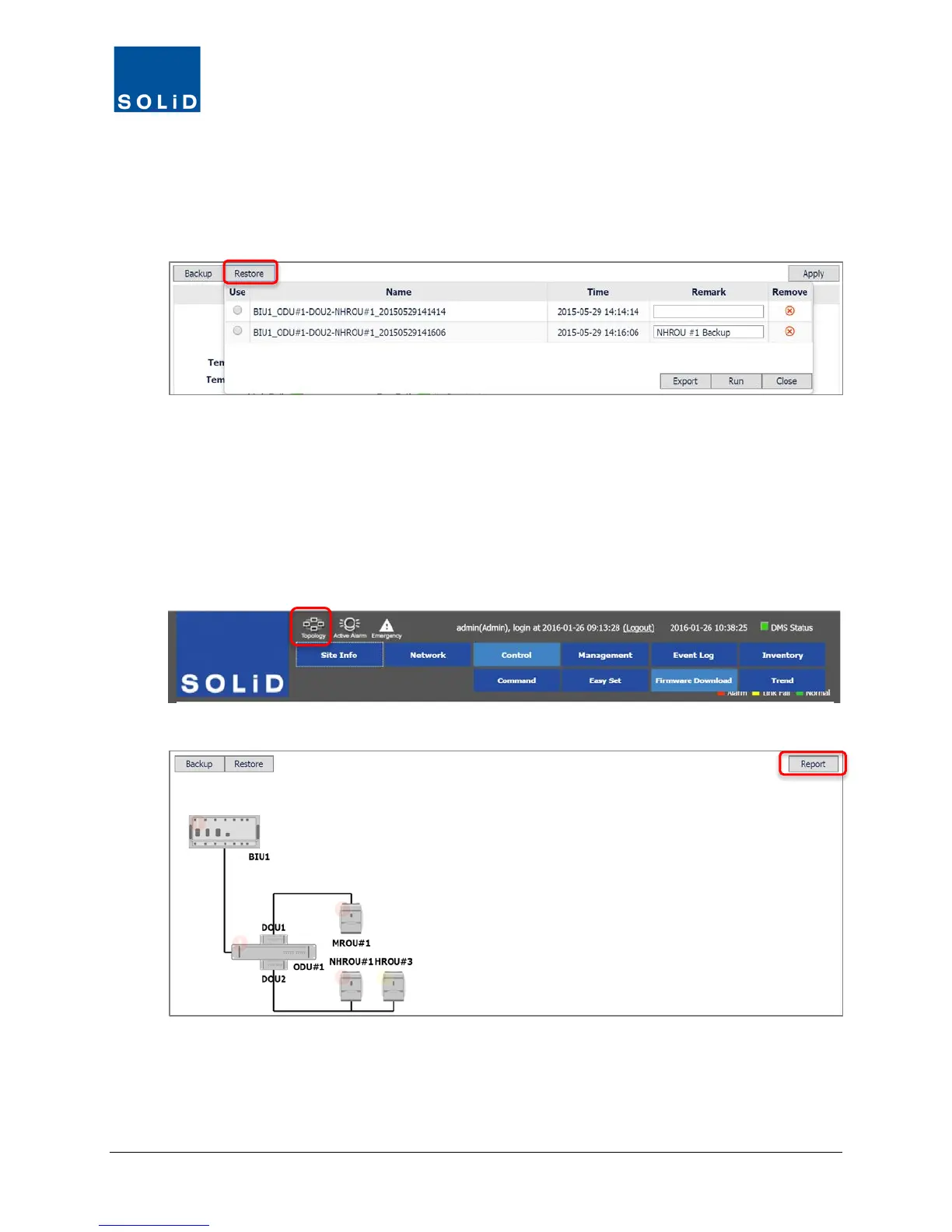
1. To restore backups of DAS control settings, click Restore from the Device Control screen.
2. From the dialog box, check the Use box for the backup file to use.
3. Click Run.
4. When complete, click Close. You can save the backup files indefinitely or click Remove to
delete.
5. To download a spreadsheet file showing DAS settings from the backup, click Export.
7.7.3 Download a Report of DAS settings
1. Click on the Topology icon. Then click on the BIU you want to generate a report for.
2. Click Report. The system creates the report and downloads to your PC.
3. View the report in any standard spreadsheet program. The report shows all current settings
for DAS devices.



 To Next Page