DMS-1200 Release 6 Operations Manual
Section 9 – Trend Data, Event Logs and System Inventory 95
9.2 Monitoring System Event Logs
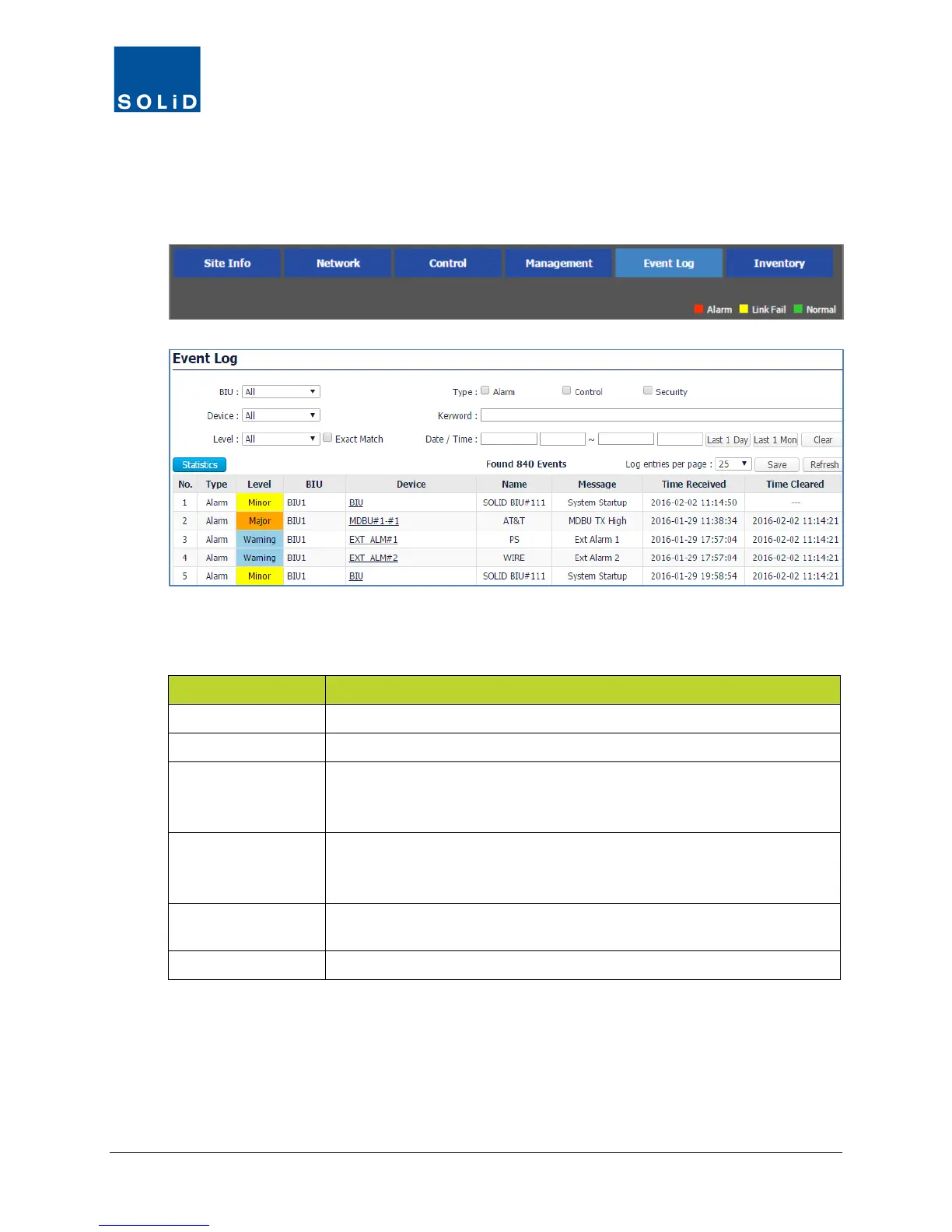
The Event Log shows alarm, control, and security events.
1. On the Navigation Bar, click Event Log.
2. Filter the log as desired. Two methods are available.
a. Using the drop-down lists at the top of the window, filter the log according to these guidelines.
Field Description
BIU Filters by BIU, if multiple BIUs are connected to the system.
Device Filters by a specific DAS device (MDBU, ODU, etc.) or all devices.
Level Filters by Alarms at that level and above (more severe). Exact Match
filters alarms by just that level. Alarm Levels are defined in the
Management > Alarm Control menu.
Type Filters by type of event: Alarm (any Alarm condition), Control (any
change to operating parameters for DAS devices), Security (Login and
Logout). Leaving all boxes unchecked will return all Alarm types.
Keyword Filters by specified search text. You can also filter by any keyword in the
Device, Name, and Message column.
Date / Time Filters by Date / Time range using drop-down calendars.
Table 9.2 − Event Log Filter Criteria



 To Next Page