DMS-1200 Release 6 Operations Manual
Section 9 – Trend Data, Event Logs and System Inventory 96
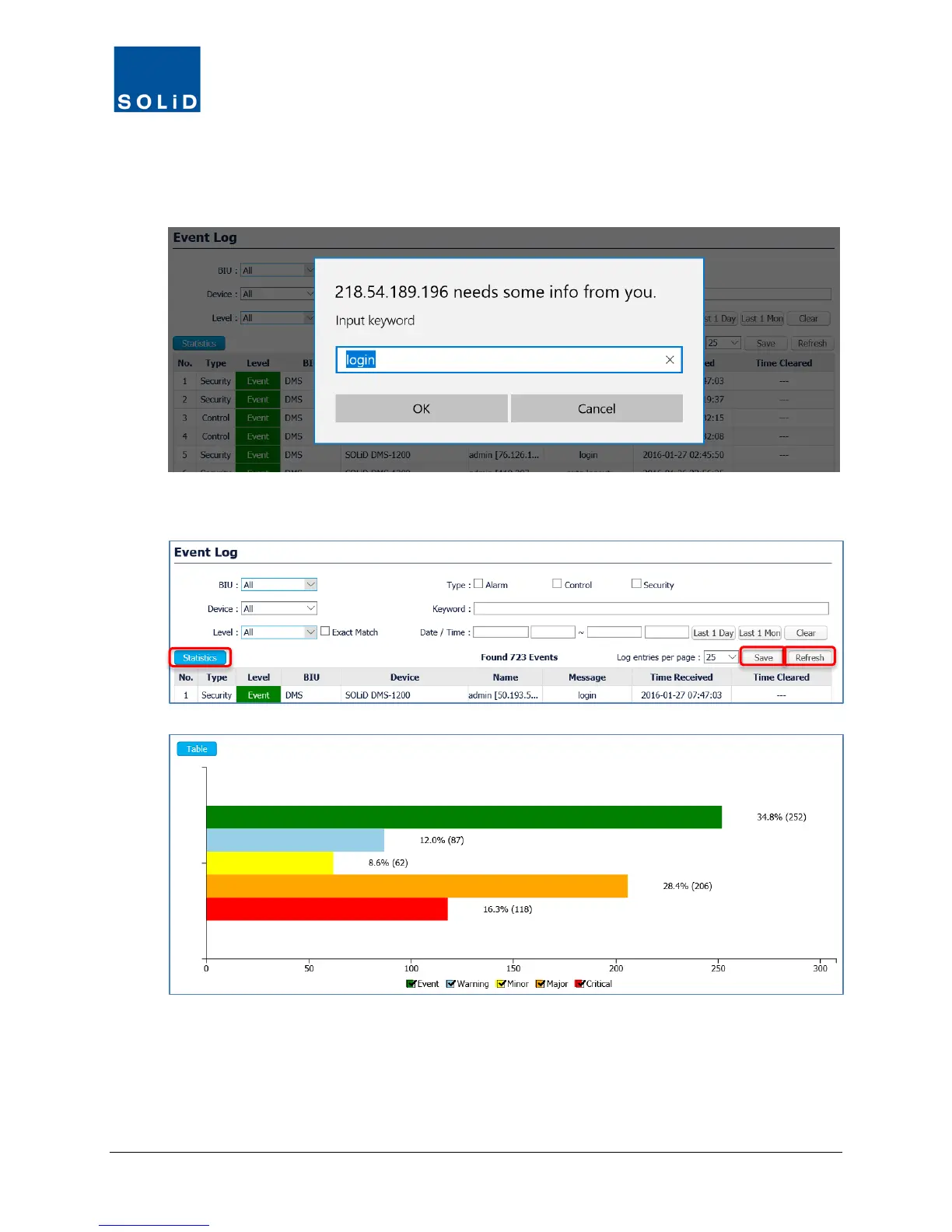
b. To filter by any Keyword in the Name and Message fields, place the cursor over the text in
the field. Then click on the text to see the Input keyword dialog box. Click OK to filter.
3. To calculate statistics in bar chart form for the search criteria, click Statistics.
4. To download the Event Log in spreadsheet format, click Save.
5. To reload the log for the BIU selected, click Refresh.



 To Next Page