DMS-1200 Release 6 Operations Manual
Section 4 – DMS-1200 Setup 32
4.6 Scheduling the System Backup
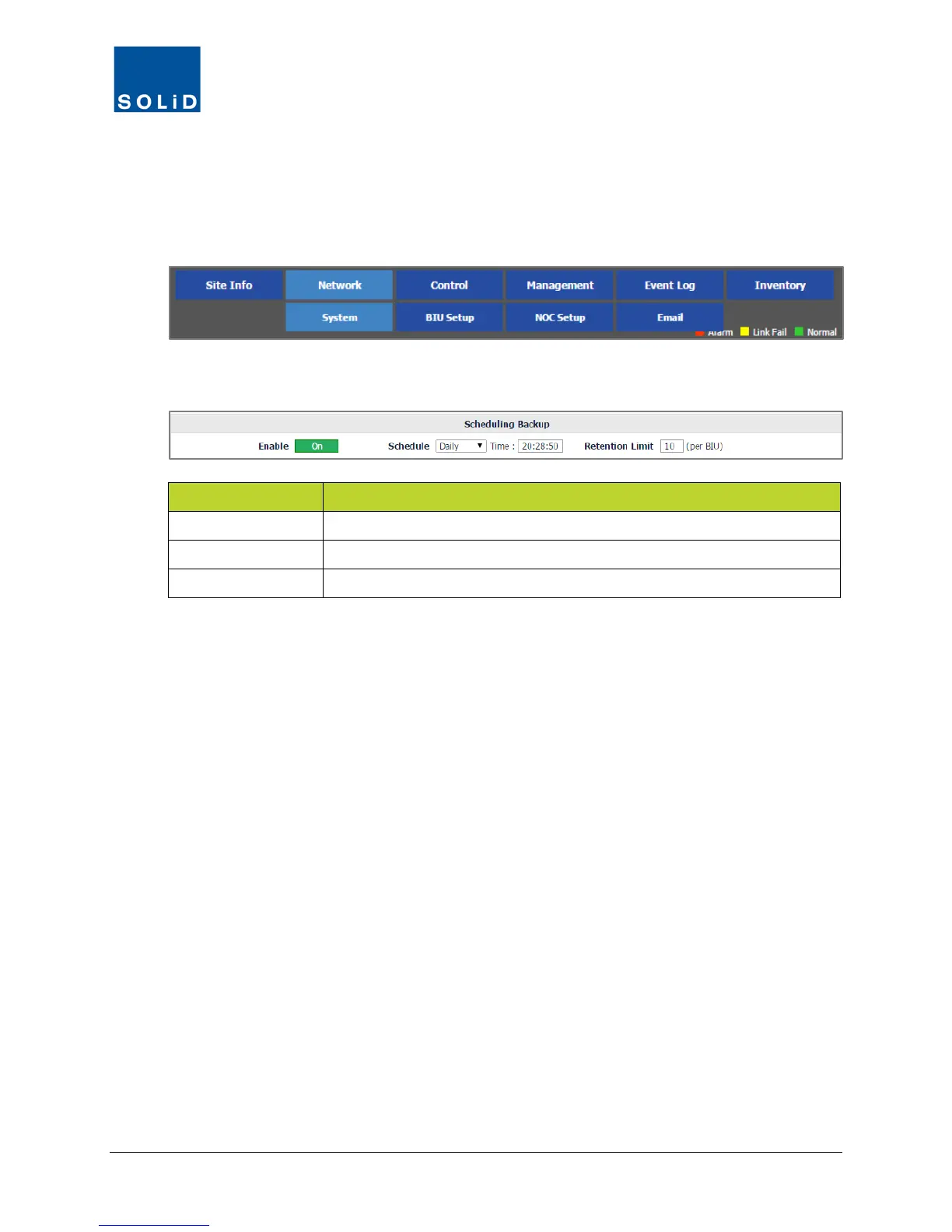
Use the Scheduling Backup settings to turn on/off auto backup and set schedule and retention
times.
1. On the Network menu, click System.
2. Edit the Scheduling Backup settings according to the following guidelines:
Option Action / Status
Enable To activate/deactivate an automatic backup routine, click Enable on/off.
Schedule Choose the frequency and time of day for the auto backup.
Retention Limit Set the maximum number of backups to retain per BIU.
Table 4.6 –Scheduling Backups
3. Click Apply to save the settings. Values are saved immediately.



 To Next Page