DMS-1200 Release 6 Operations Manual
Section 6 – System Alarm Setup 46
6.1 Monitoring Alarms and Viewing Troubleshooting Tips
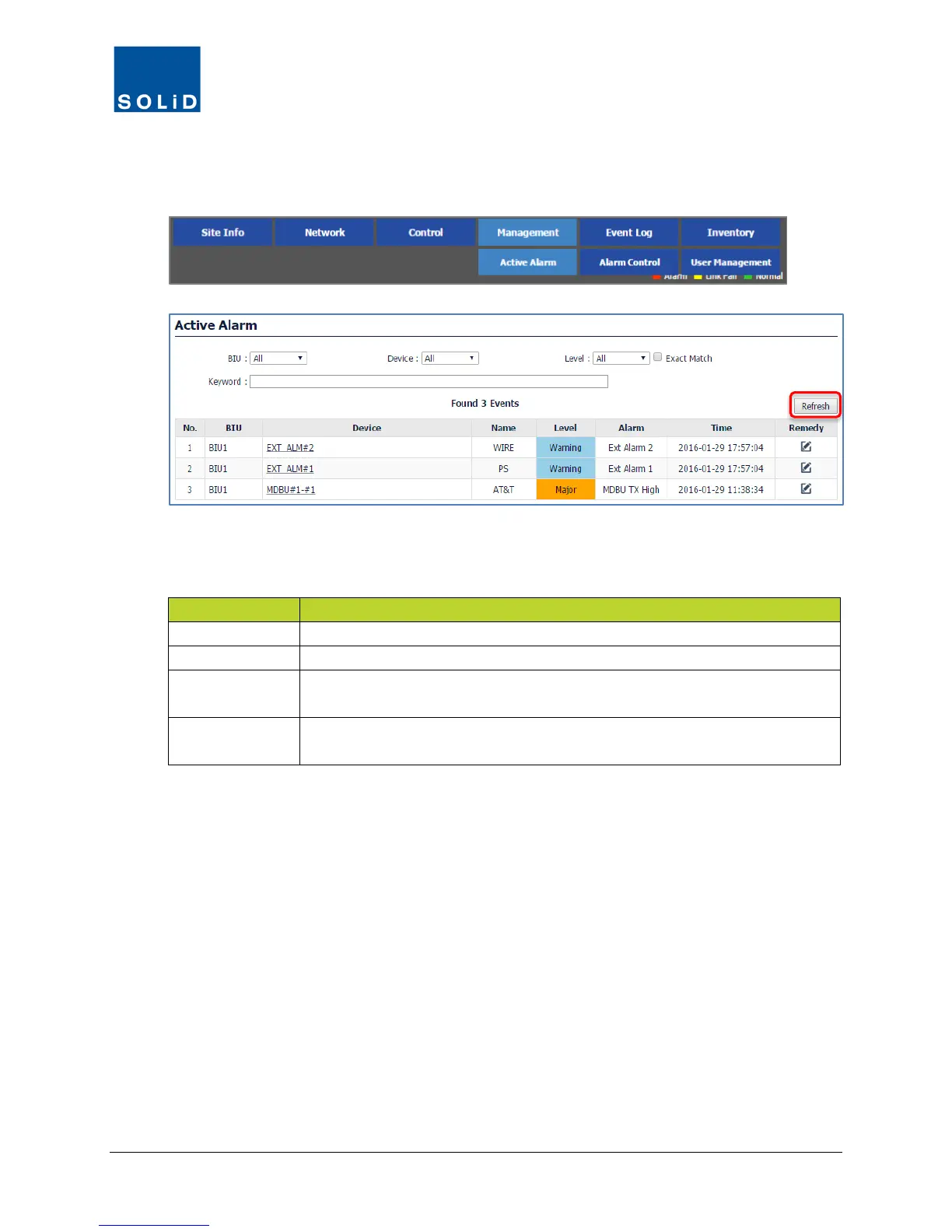
1. On the Management menu, click Active Alarm.
2. Click Refresh. Using the drop-down lists at the top of the Active Alarm screen, filter the alarm
list using any of the following criteria:
Shows all alarms associated with that BIU.
Shows all alarms associated with the device.
Level
Filters by Alarms at that level and above (more severe).
Exact Match filters alarms by just that level.
Keyword
Filters by specified search text. Note that you can also search by any
keyword in the Name and Alarm column.
Table 6.1 – Active Alarm Filter Criteria



 To Next Page