DMS-1200 Release 6 Operations Manual
Section 4 – DMS-1200 Setup 27
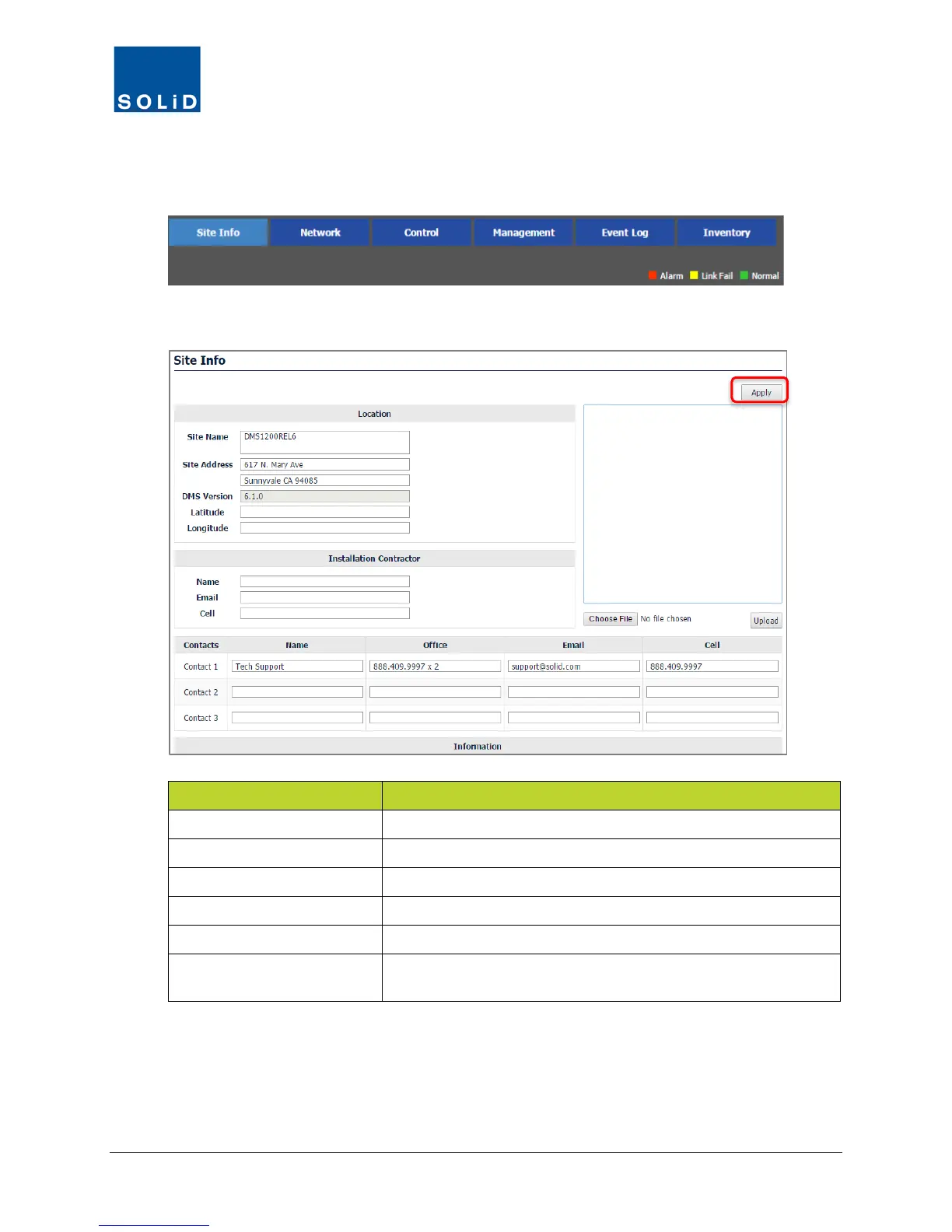
4.1 Editing Site Info
1. On the Navigation Bar, click Site Info.
2. Edit Site Info details according to the following guidelines:
Option Action
Site Name / Site Address Specify the location of the DAS site.
DMS Version DMS software version is auto-populated by the system.
Latitude / Longitude Enter the geographic coordinates of the site.
Picture Upload a picture of the site in JPEG format.
Installation Contractor Provide contact information for the installation contractor.
Contacts / Information
Provide contact details for support and technical personnel. Add
any additional information relevant to the DAS site.
Table 4.1 – Site Info Settings
3. Click Apply when you are done. Changes are applied immediately.



 To Next Page