DMS-1200 Release 6 Operations Manual
Section 3 – Login and BIU Assignment 23
3.3.3 Emergency Shut-off Function
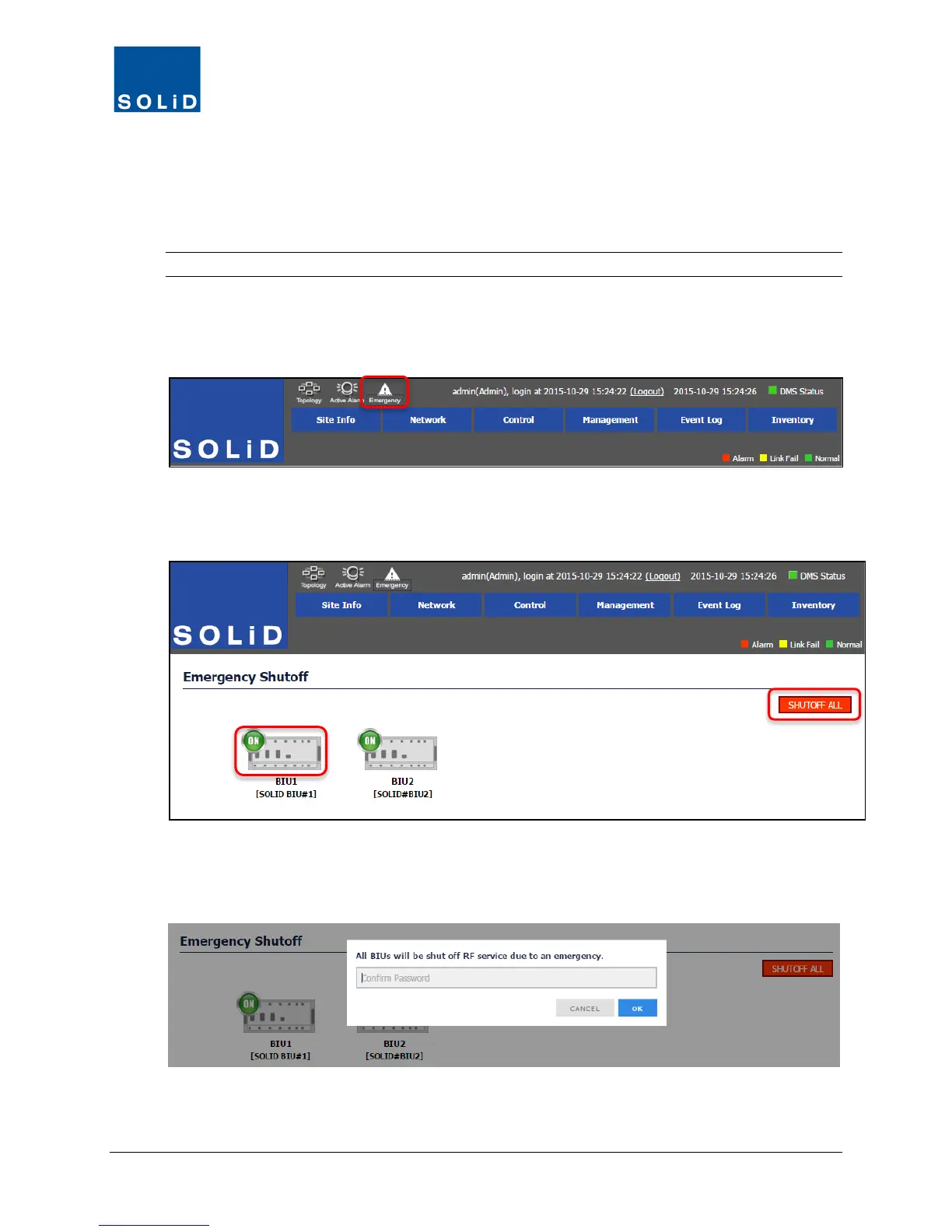
The Administrator can turn off all amplifiers in the remote units by clicking the Emergency button
in the DMS-1200 main screen. For systems with multiple BIUs, the Administrator can turn off
remotes on a per BIU basis.
NOTE: This feature is only available to Administrators.
To turn off remotes
1. Click on the Emergency icon at the top of the screen.
2. Click on an individual BIU to shut off remotes just connected to that BIU or select SHUTOFF
ALL to turn off amplifiers in all remotes in the DAS.
Figure 3.2 – Emergency Shut-off Function
3. For security, the system will prompt for the Adminstrator password. Enter the password and
click OK.
The progress bar shows status.



 To Next Page