DMS-1200 Release 6 Operations Manual
Section 3 – Login and BIU Assignment 18
3.2 Assigning BIUs
When you connect the DMS to the DAS, the DMS should automatically recognize the system’s
BIUs and load BIU information to the Unassigned BIU list. From there, you will need to add the
system’s BIUs to the Assigned BIU list before you can manage them using the DMS.
If a connected BIU is not automatically recognized by the DMS, you can manually add it to the
Assigned BIU list.
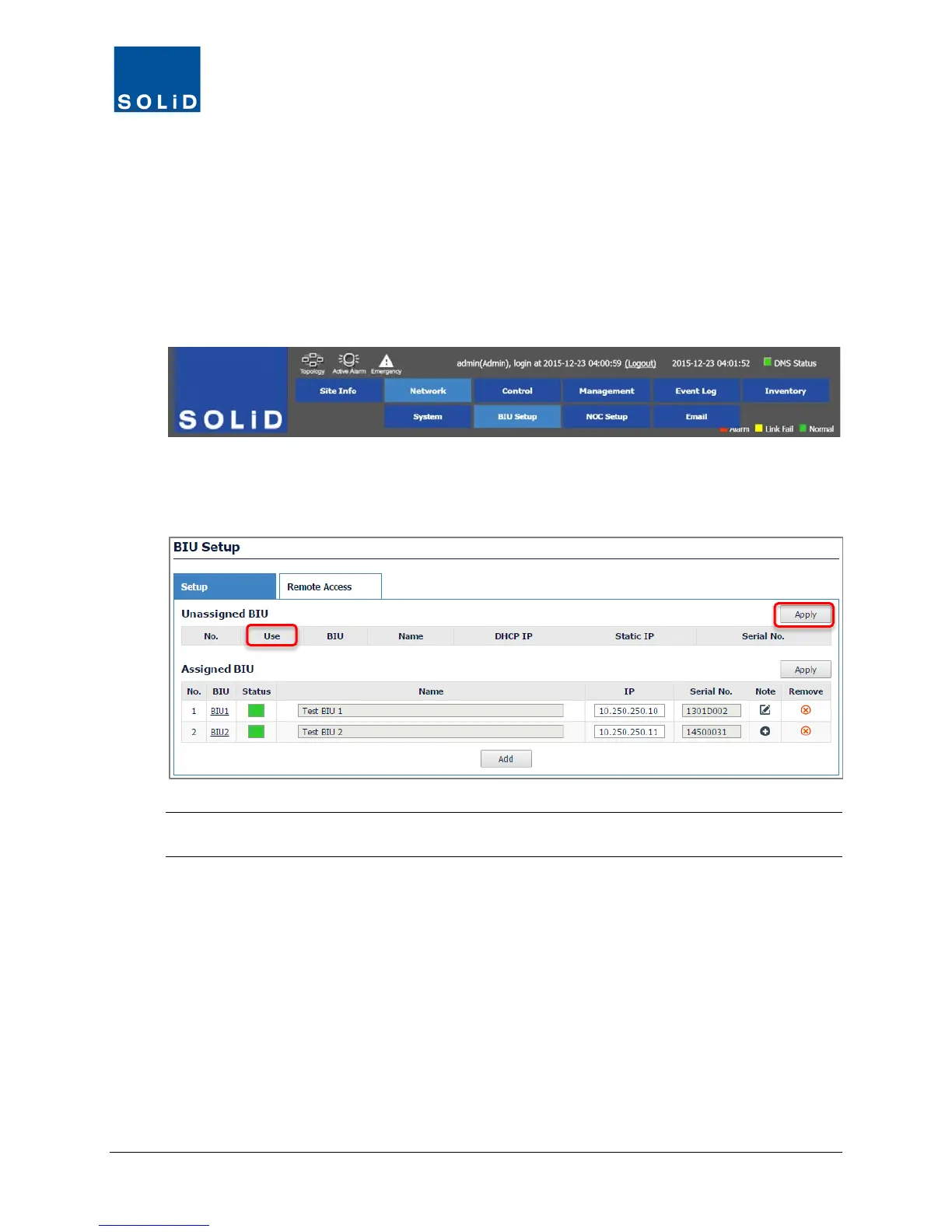
1. On the Network menu, click BIU Setup.
2. Click the Setup tab. Assign BIUs according to these guidelines:
a. If the BIU appears on the Unassigned BIU list, check Use and then click Apply to move it to
the Assigned list.
TIP: The DHCP IP displayed is the IP automatically assigned to an unassigned BIU. When you
click Apply, a Static IP is assigned so that all BIUs will be arranged in numerical order.



 To Next Page