DMS-1200 Release 6 Operations Manual
Section 4 – DMS-1200 Setup 33
4.7 Upgrading DMS Software
Periodic software upgrades are available for the DMS-1200 server. Contact SOLiD Support for
details. (You can also upgrade firmware for the DAS components using the DMS-1200. See the
section
Upgrading Firmware for DAS Components starting on page 83.)
1. Obtain the latest DMS software from SOLiD Support
. Load software on the management PC.
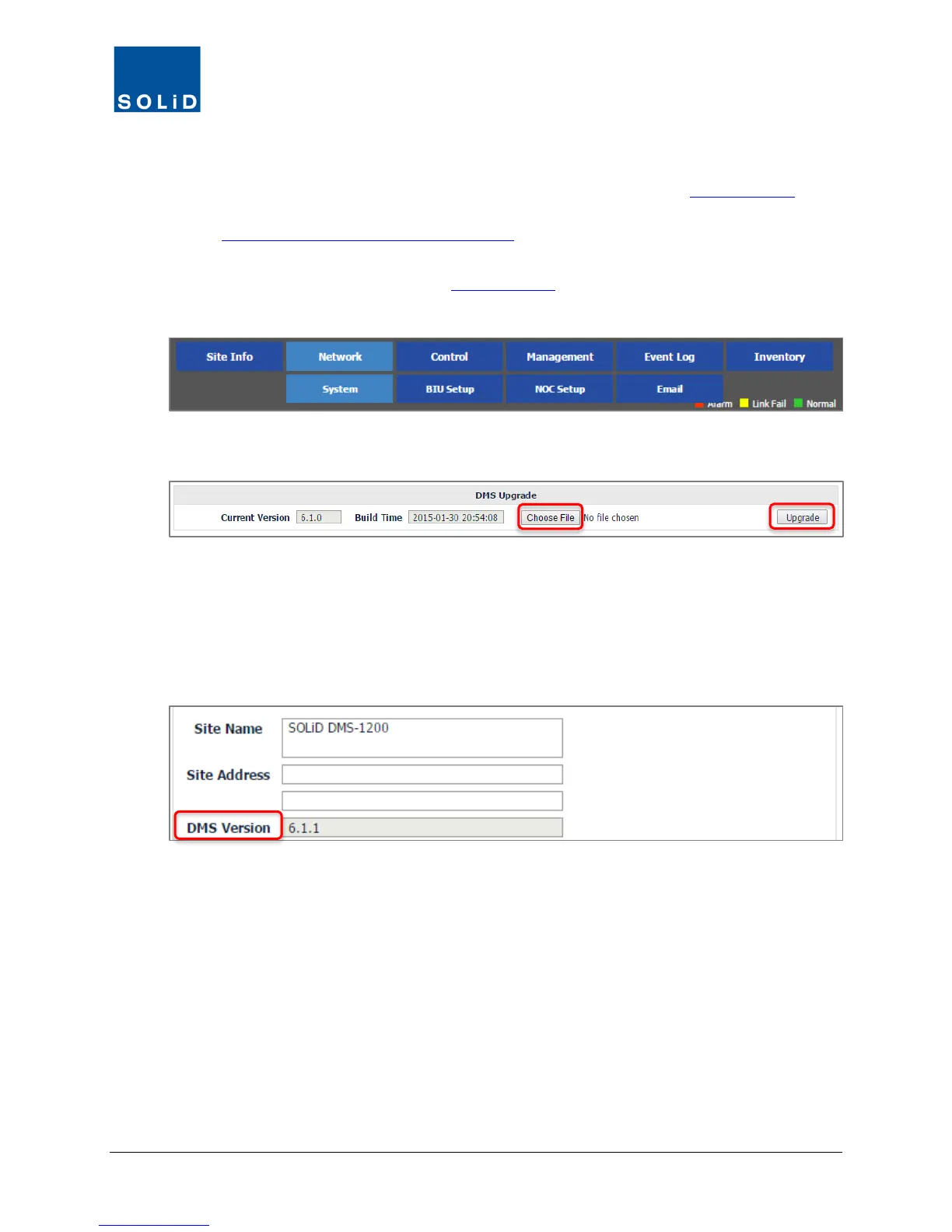
2. On the Network menu, click System.
3. Click Choose File. From your PC’s file directory, select the DMS software file.
4. Click Upgrade. The DMS will go offline while new software is applied.
5. After upgrading the DMS software, reboot the DMS using the instructions below.
6. In the Site Info screen, check the DMS Version number to make sure it matches the
software you have just loaded.



 To Next Page