DMS-1200 Release 6 Operations Manual
Section 4 – DMS-1200 Setup 36
4.10 Managing NOC and SNMP Settings
The NOC Setup menu allows you to manage the SNMP interface between the DMS-1200 and
the Network Operation Center (NOC).
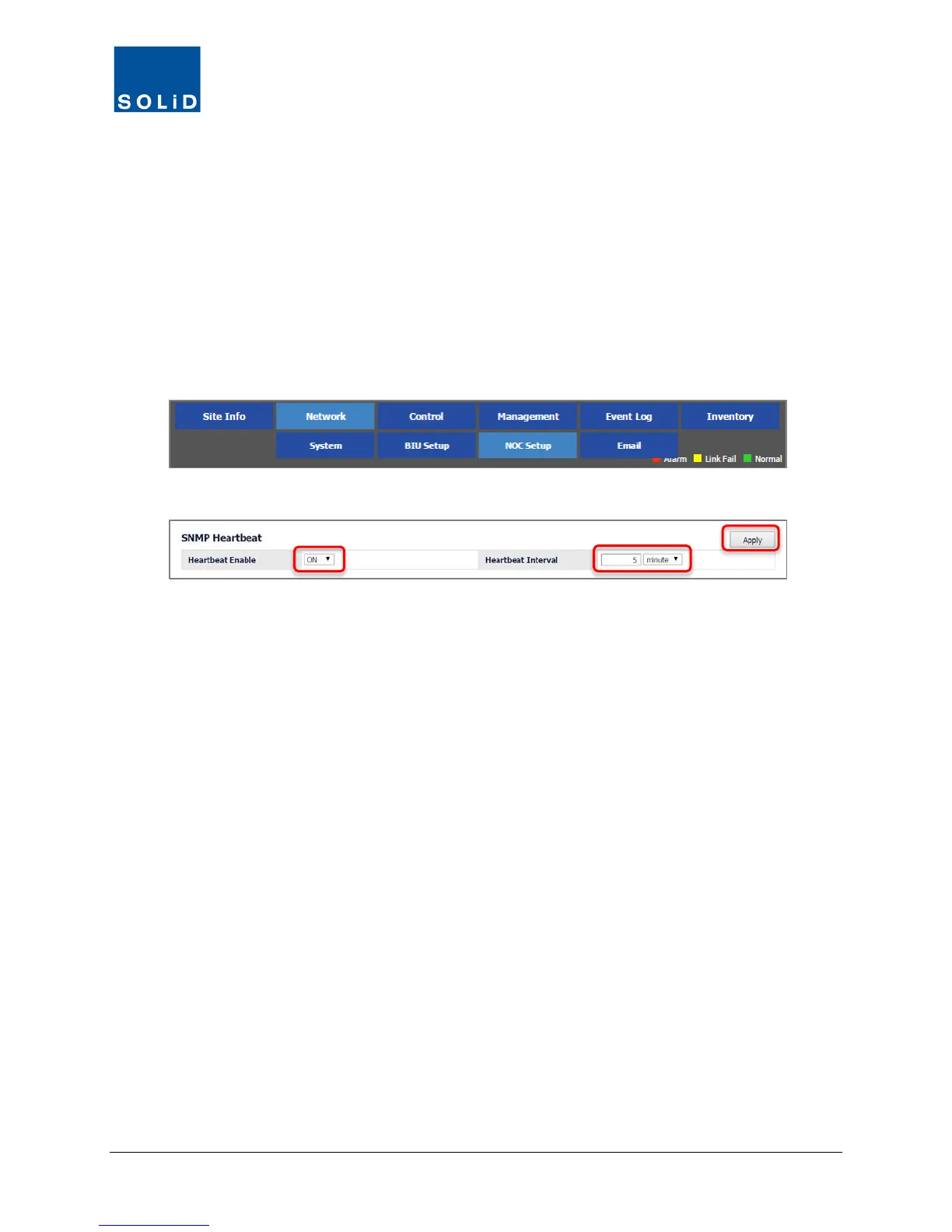
4.10.1 Set the SNMP Heartbeat
The Heartbeat is a periodic message that notifies the NOC that the DMS-1200 is online and
operational. When the Heartbeat feature is enabled, the DMS-1200 will send a message to the
NOC according to the Heartbeat time interval.
1. On the Network menu, click NOC Setup.
2. Enable or disable the feature according to these guidelines:
a. To enable the feature, from the Heartbeat Enable drop-down list, select On.
Specify the Heartbeat interval. The drop-down list allows you to choose seconds, minutes or
hours.
b. To disable the feature, from the Heartbeat Enable drop-down list, select Off.
3. Click Apply when you are done.



 To Next Page