DMS-1200 Release 6 Operations Manual
Section 7 – DAS Device Control 73
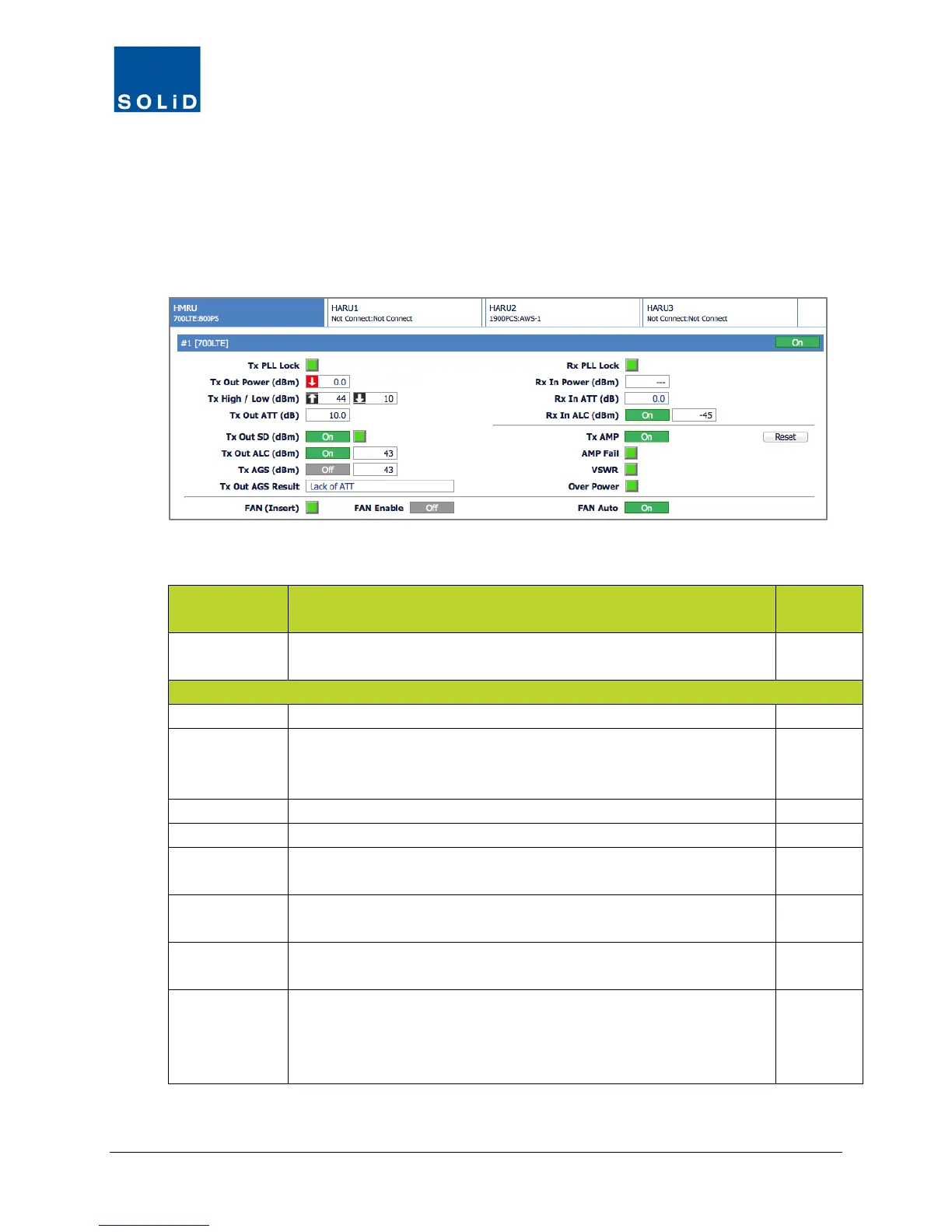
7.5.6 HRDU (TiTAN) Setup
This section describes how to set up the high-power remote drive units for the TiTAN main units
(HMRU) and add-on units (HARU).
1. In the Tree Menu or Menu bar, click on the HMRU or HARU that contains the drive units you
want to configure.
2. Configure the TX Values for the drive unit according to these guidelines:
Field Action / Description
User
On/Off Click toggle to turn RDU port On/Off. Active ports should be turned
on; inactive ports turned off.
Y
Tx Phase Locked Loop status. Green=normal. Red=PLL unlocked.
Tx Out Power Shows Tx output power on that port. (Displays --- when no input
signal detected.) Green = normal. Red = output power below / above
N
Set high and low power limits used in Alarm function.
Set attenuation level for Tx output from RDU up to 30dB.
Tx Out SD This feature is turned On by default. The system shuts down when
power output reaches the value in this field.
Y
Tx Out ALC Click toggle to turn On/Off Auto Limit Control feature. When On, the
system applies attenuation when this value is met or exceeded.
Y
Tx AGS Click toggle to turn On/Off Auto Gain Setting. When On, the system
automatically sets output power to the predetermined power level.
Y
Tx Out AGS
Result
Status of Auto Gain Setting:
Success: The AGS function is activated.
Not Operate OPTIC Comp: Optic Comp cannot be activated.
Lack of ATT: There is no attenuation available.
N
Table 7.20 – TiTAN Remote Drive Unit Control Screen Fields – TX Values



 To Next Page