DMS-1200 Release 6 Operations Manual
Section 4 – DMS-1200 Setup 39
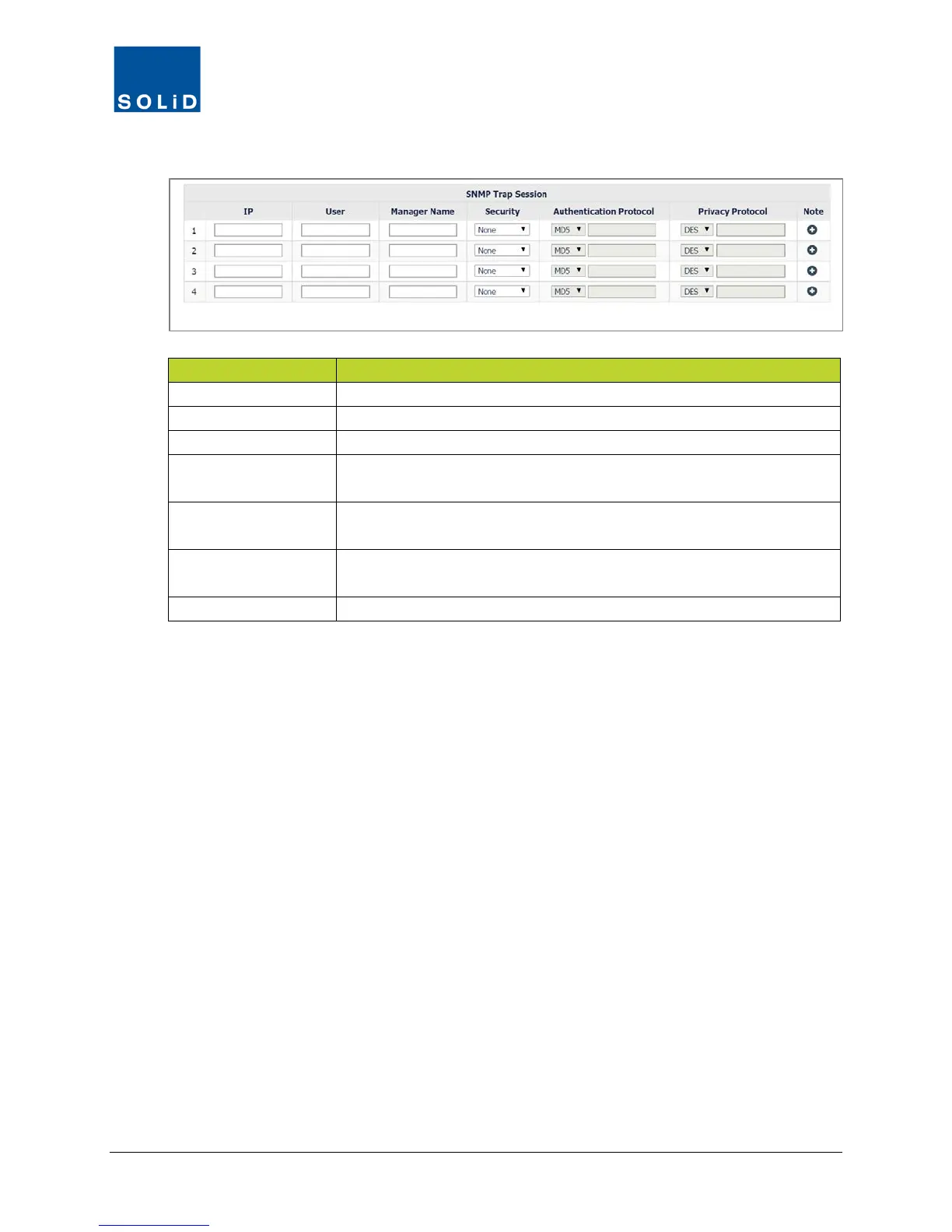
3. In the SNMP Trap Session section, edit the settings according to these guidelines.
Specify IP address of a trap session, for example: 192.168.0.16
Enter a descriptive name of the trap session.
Security
Enter Security Level: None = no authentication required. No Privacy =
authentication. Privacy = Authentication + encryption.
Authentication
If security level is No Privacy or Privacy, select authentication protocol
and enter password. The minimum password length is eight characters.
Privacy Protocol
If security level is Privacy, select privacy protocol and enter password.
The minimum password length is eight characters.
Enter any additional information about the trap session.
Table 4.9 – SNMP v3 Trap Settings
4. Click Apply when you are done. Changes are applied immediately.



 To Next Page