DMS-1200 Release 6 Operations Manual
Section 7 – DAS Device Control 56
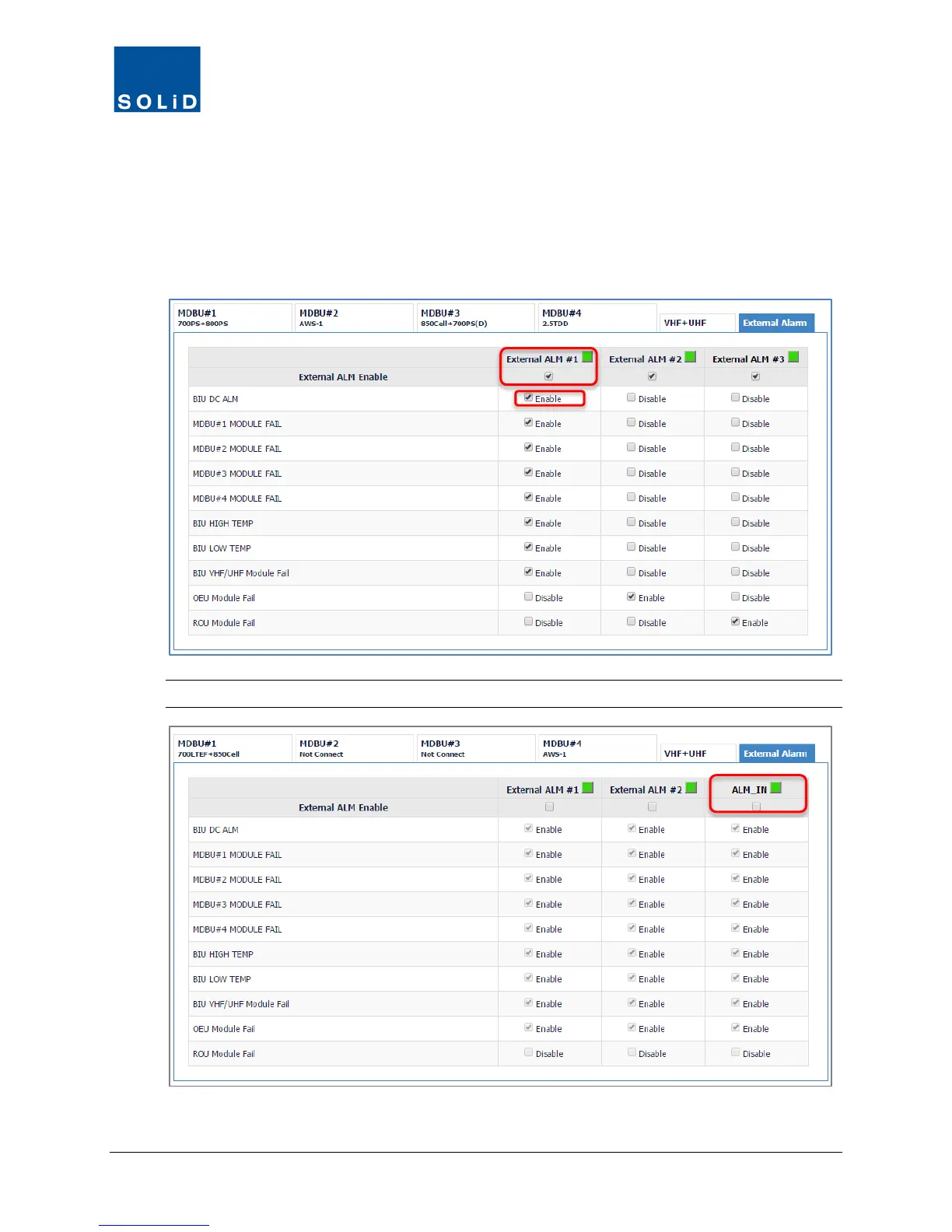
To Activate Alarms for Dry Contacts
1. From the MDBU Control screen, click the External Alarm tab.
2. Check the External ALM Enable box if you want to activate contacts #1, #2, and/or #3.
3. For each enabled contact, check the Enable box for each condition you would like reported.
Note: If you use ALM#3 in input mode, the setup screen will change to reflect that.



 To Next Page