DMS-1200 Release 6 Operations Manual
Section 7 – DAS Device Control 63
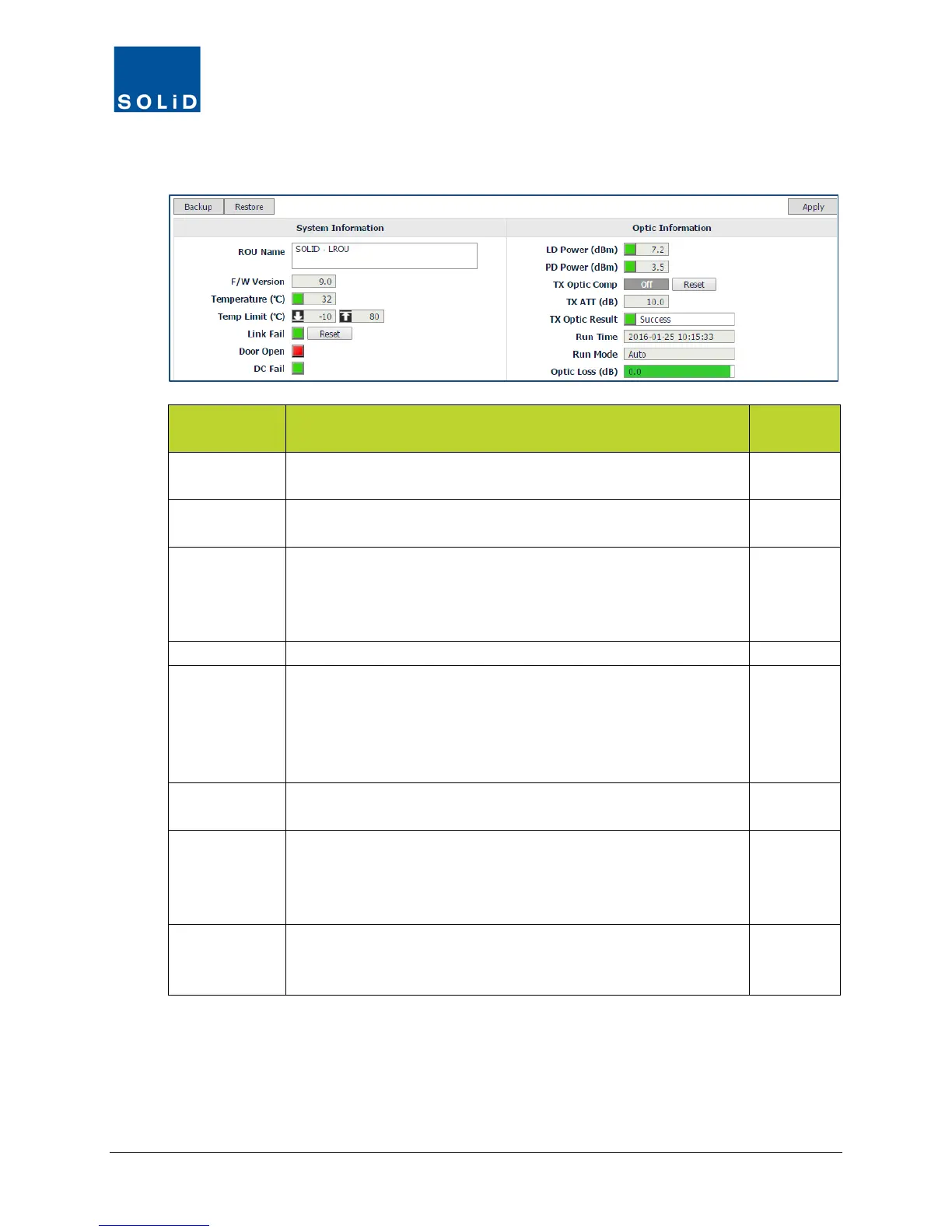
3. Configure the Optic Information according to the guidelines in following table:
ROU Field Action / Description
User
LD Power Shows laser diode power of R-Optic module. Green = normal.
Red = Power is below reference power.
N
PD Power Shows photo diode power being received from ODU or OEU.
Green = normal. Red = Receive power is below reference level.
N
Tx Optic Comp Click the toggle to turn On/Off the Auto optic compensation
function for the transmit signal. Click Reset to reset the link
between the ODU and LROU and recalculate optic
Y
Shows attenuation level for compensating optical loss.
Tx Optic
Result
Shows result after running Auto optic compensation:
Success: The optical compensation has been successful.
Over Optic Loss: optical loss exceeds limits: 6dBo or more for 4-
port optic module; 11dBo or more for 1-port optic module.
Communication Fail: Communication with BIU has failed.
N
Run Time Displays date/time and mode of most recent optic compensation
N
Run Mode Shows optical compensation mode:
Auto: Optical compensation was executed by the CPU
automatically. Manual: Optical compensation was executed
N
Optic Loss Displays optical loss. Green = loss is within tolerance. Red = loss
exceeds limits: 9dB for 1-port optic module; 4dB for 4-port optic
N
Table 7.11 – LROU Control Screen Fields – Optic Information
4. Click Apply when you are done. Changes are saved immediately.



 To Next Page