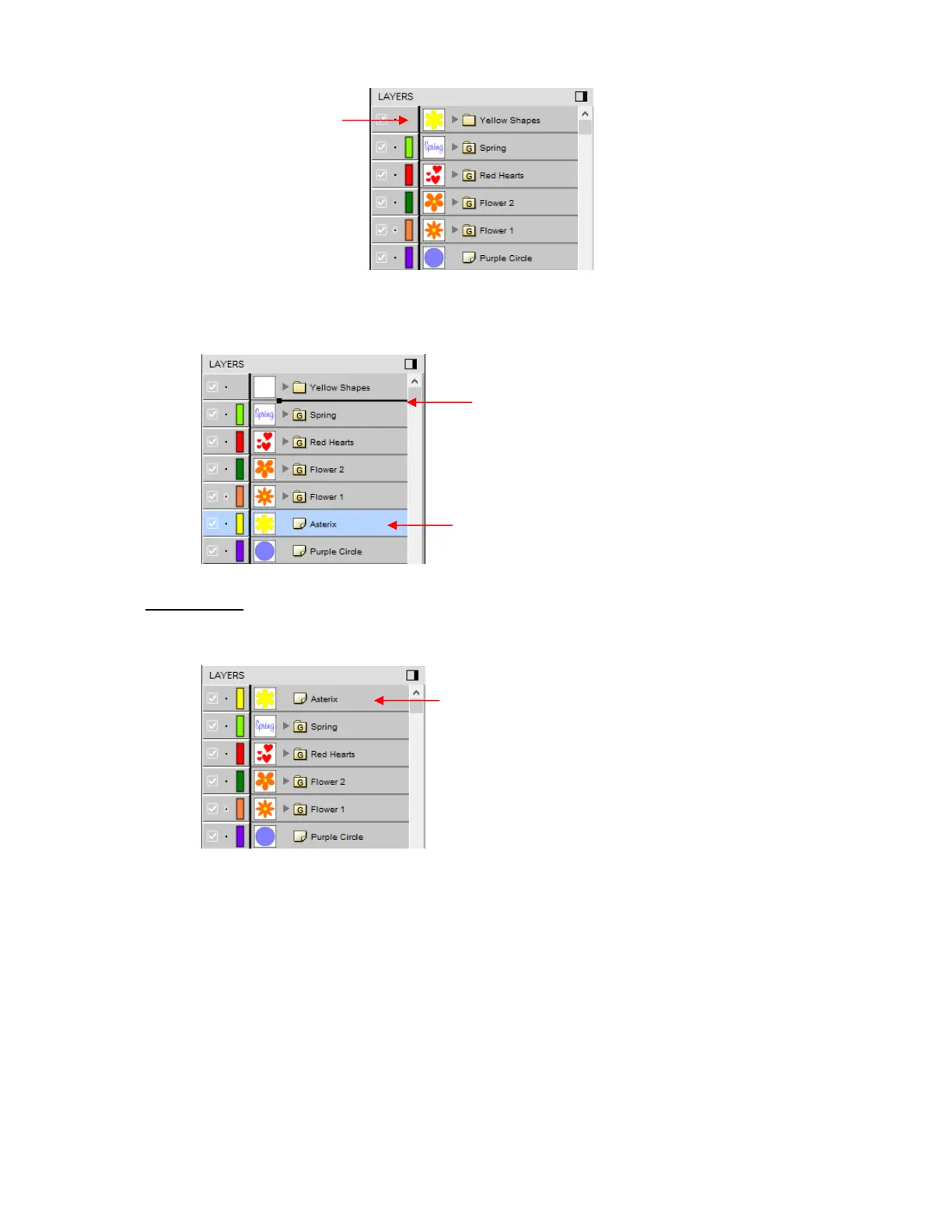
If, instead, you drag a layer while moving it to the left, you will see a longer line with a closed black
square. This means it will be added directly above that line:
IMPORTANT: Once you’ve created a new empty folder, like the Yellow Shapes folder, you cannot move
that layer or other layers without the empty folder being deleted. So, in the case above, if the Asterisk
layer had been simply relocated, the Yellow Shapes folder would then be gone:
• Layers can also be moved out of an existing folder into other folders. In this example, the yellow centers of
the flowers in the layers named Flower 1 and Flower 2, can be similarly dragged and dropped into the
Yellow Shapes folder:
Open the Flower 2 group folder and then make sure only the yellow layer is selected:



 To Next Page