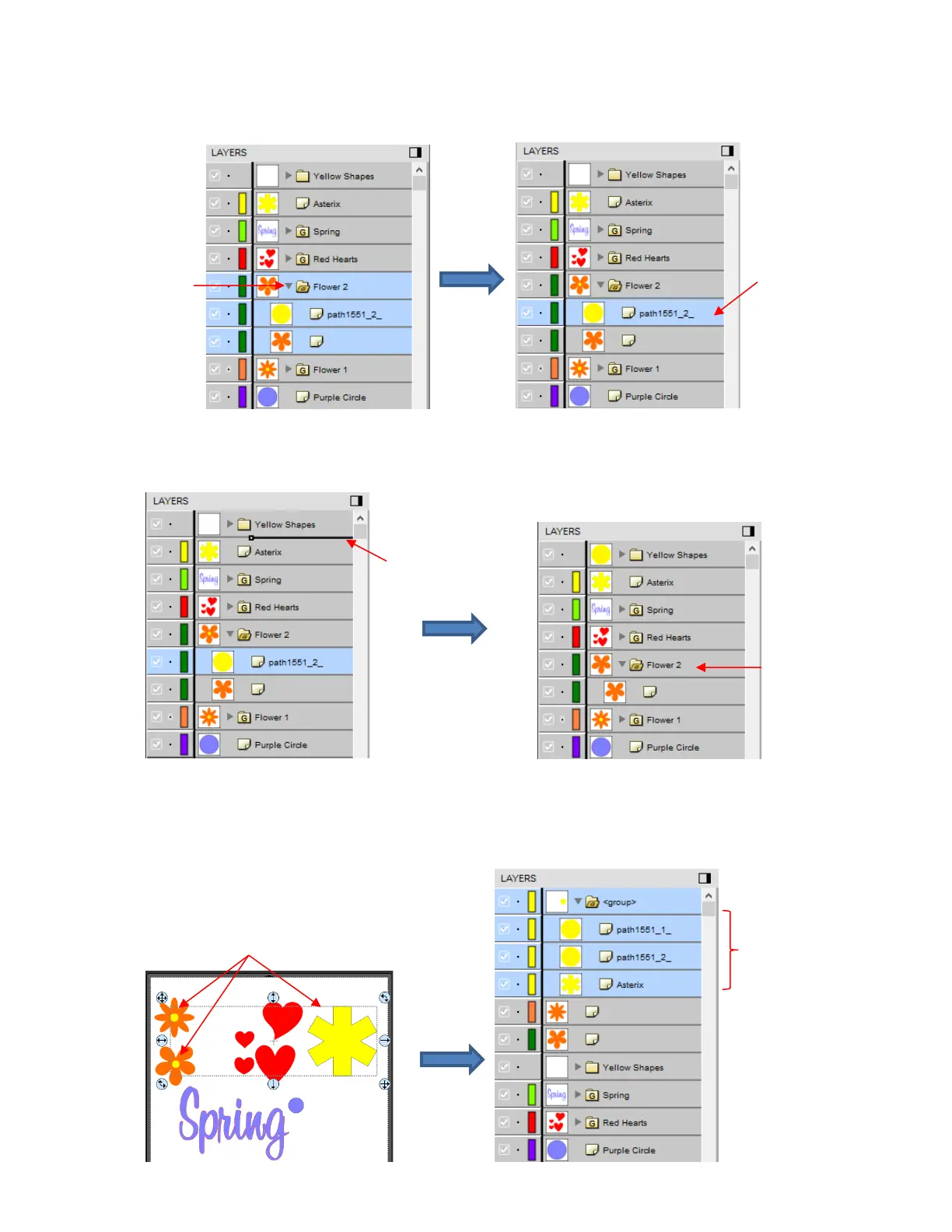
Then drag the yellow layer up to the Yellow Shapes, again making sure only a short line is present. The
yellow layer is then moved out of the Flower 2 group:
• Note: This is just one way to achieve this goal. Another way is to ungroup the Flower 1 and Flower 2 layers.
Then select all of the yellow shapes on the Page and go to Object>Group. A new group folder is added to
the Layers Panel with those shapes moved to it. Specific instructions on Grouping and Ungrouping are
covered in Section 4.07.2.



 To Next Page