The information contained in this document is confidential, and only for the information of the intended recipient and may not be published or redistributed without the prior written consent of Summa NV.
Summa nv Tel +32 59 27 00 11 Fax +32 59 27 00 63 Email support@summa.com Website www.summa.com Page 17 of 76
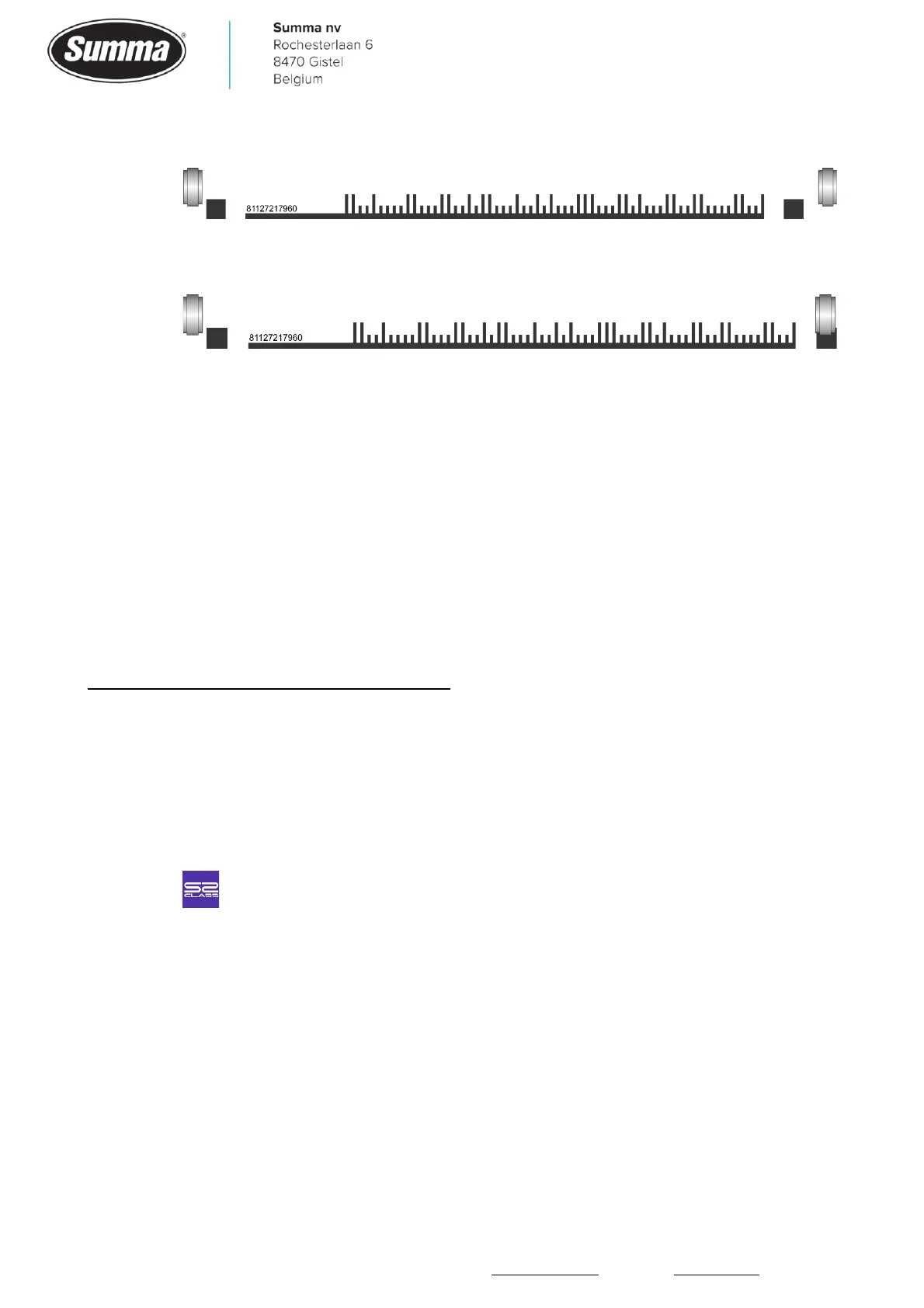
▪ Barcode cannot be read due to too big registration marks:
▪ By setting the pinch roller over the right side registration mark, the barcode is correctly
read:
• The distance between the last job and the next job may be too long. The machine will search
for the next barcode for 50 cm. When the next barcode is more than 50 cm from the previous
job, then the error message is displayed.
• The system parameter “s1_class” was set to 1. In this case the sensor is not dropped on the
media and hovers over the media while searching for the registration marks. Start the machine
in service mode, click [SERVICE MODE] – [SERVICE] – [System registers] and set the system
parameter “s1_class” to zero.
2.12 Activation of the G-Performance Mode failed!
To activate the G-Performance mode, an activation code has to be entered. This activation
code can be obtained by filling in a form on the Summa website:
https://www.summa.eu/en/g-performance, after which the activation code is displayed and
sent by email.
In case activation failed, check the following:
• An incorrect serial number has been used in the registration form.
• An incorrect activation code has been entered on the display of the machine.
• The serial number in the machine does not match the serial number on the serial number tag.
Click to verify the serial number defined in the main board.
2.13 Flash device not found!
The error message may appear during the upgrade of the firmware. This indicates the
memory holding the firmware of the cutter became unavailable. As this is a fatal error, the
main board may have to be returned to Summa for recovery (if possible), or replaced.
2.14 No memory for DMPL-buffer! Reboot…
See section 2.15.









 To Next Page