The information contained in this document is confidential, and only for the information of the intended recipient and may not be published or redistributed without the prior written consent of Summa NV.
Summa nv Tel +32 59 27 00 11 Fax +32 59 27 00 63 Email support@summa.com Website www.summa.com Page 62 of 76
• In case Windows XP is used, or Windows 7 not having the most recent updates, the legacy
USB driver can be used, which uses the SHA1 encryption for the digital signature. To be able
to install the legacy USB driver, right before installation, change the date of the computer to
2015, install the legacy USB driver, connect the cutter to the computer and switch the cutter
on, and when the computer has completed the driver installation, set the date of the computer
back to the current date. This is because certification of the legacy USB driver expired in 2016
(signature is valid between 4-10-2012 and 4-01-2016).
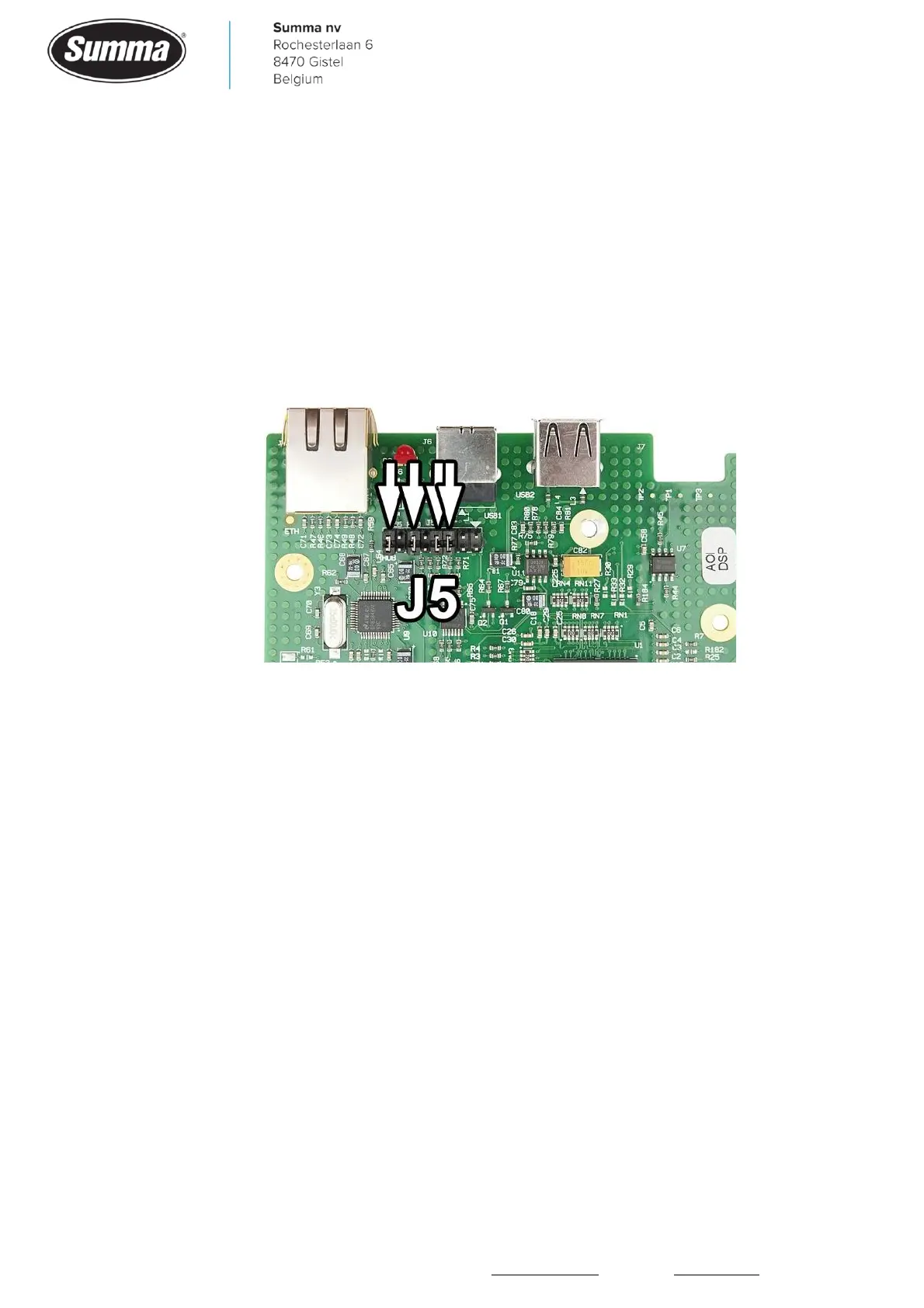
• Jumpers (J5) on main board incorrectly positioned, or removed. Starting from the right side
the jumpers have to be on position 3, 4, 6 and 8.
• When the machine has a cutter head with a camera, then the satellite board (USB Hub) on the
main board may be defective. Remove the satellite board, set jumpers as in above picture, and
test communication again (camera will not work).
8.2 Network interface
In case of communication problems while using the network interface, check the following
items:
• By preference, use a static IP address to prevent the IP address changing after a restart of the
machine. Click [Settings] – [More] – [Communication] – [LAN]. Click [DHCP] and set to “NO”.
Click [Configure] and fill in the IP address and subnet mask.
• Check for a unique IP address: use the “ping” command with a disconnected cutter which
should report a time-out, and again with the cutter connected which should return a
successful response.
• Network communication is started over port 9100: this may have been blocked by the firewall.
• Check software version used. Older versions may work fine using the USB interface, however
network communication has been changed from Windows Vista on, and this may cause issues
(e.g. incomplete jobs, or machine becoming unresponsive).









 To Next Page