The information contained in this document is confidential, and only for the information of the intended recipient and may not be published or redistributed without the prior written consent of Summa NV.
Summa nv Tel +32 59 27 00 11 Fax +32 59 27 00 63 Email support@summa.com Website www.summa.com Page 61 of 76
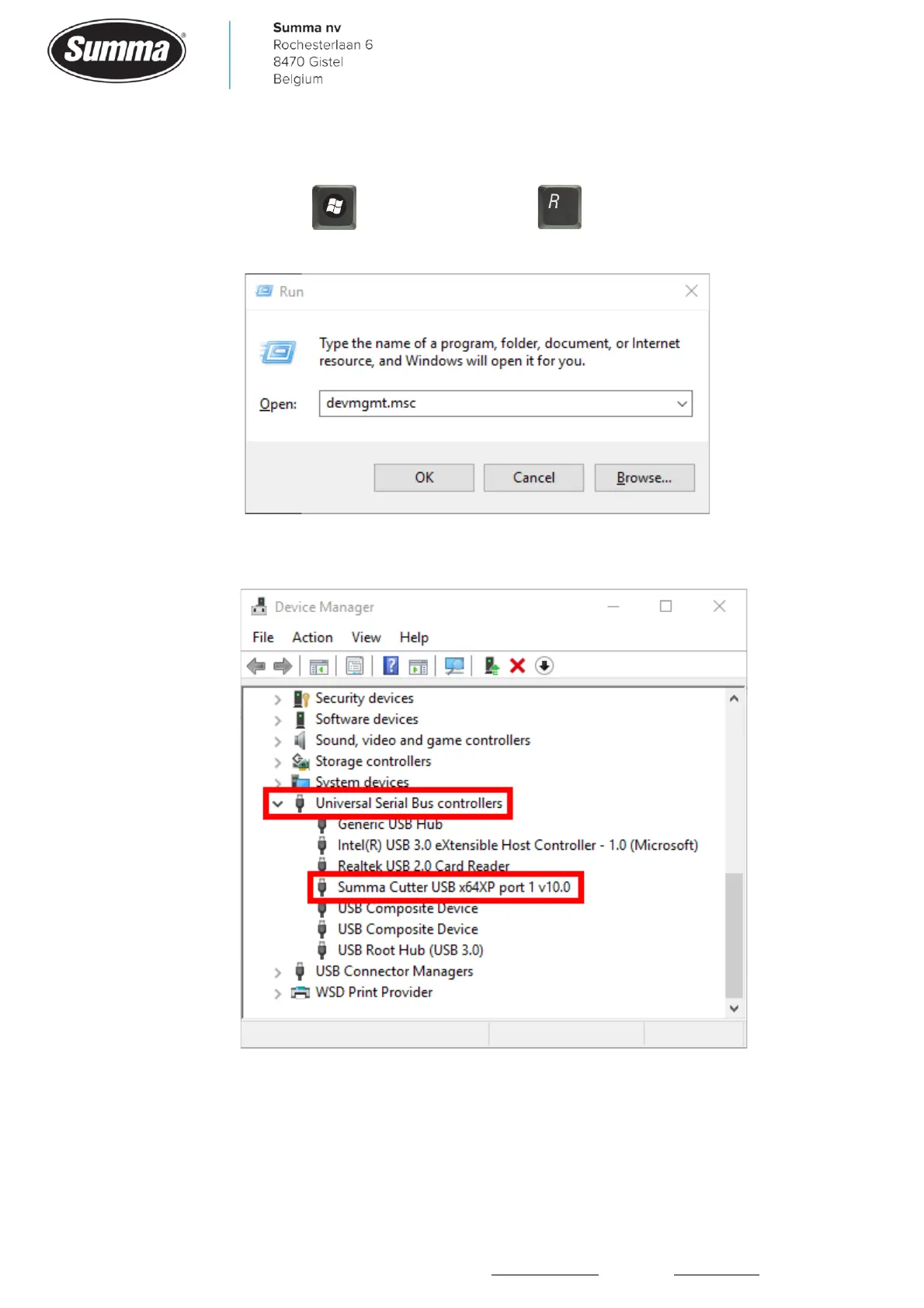
• Use the device manager to verify correct driver installation. Connect the cutter with the
computer with the USB cable, and switch the cutter on. On your computer keyboard, click and
hold the Windows key , and click the R button . Enter the text “devmgmt.msc” in
the dialog box:
In the device manager, check the entry for the “Summa Cutter USB x64XP port” in the
“Universal Serial Bus controllers” list.









 To Next Page