The information contained in this document is confidential, and only for the information of the intended recipient and may not be published or redistributed without the prior written consent of Summa NV.
Summa nv Tel +32 59 27 00 11 Fax +32 59 27 00 63 Email support@summa.com Website www.summa.com Page 41 of 76
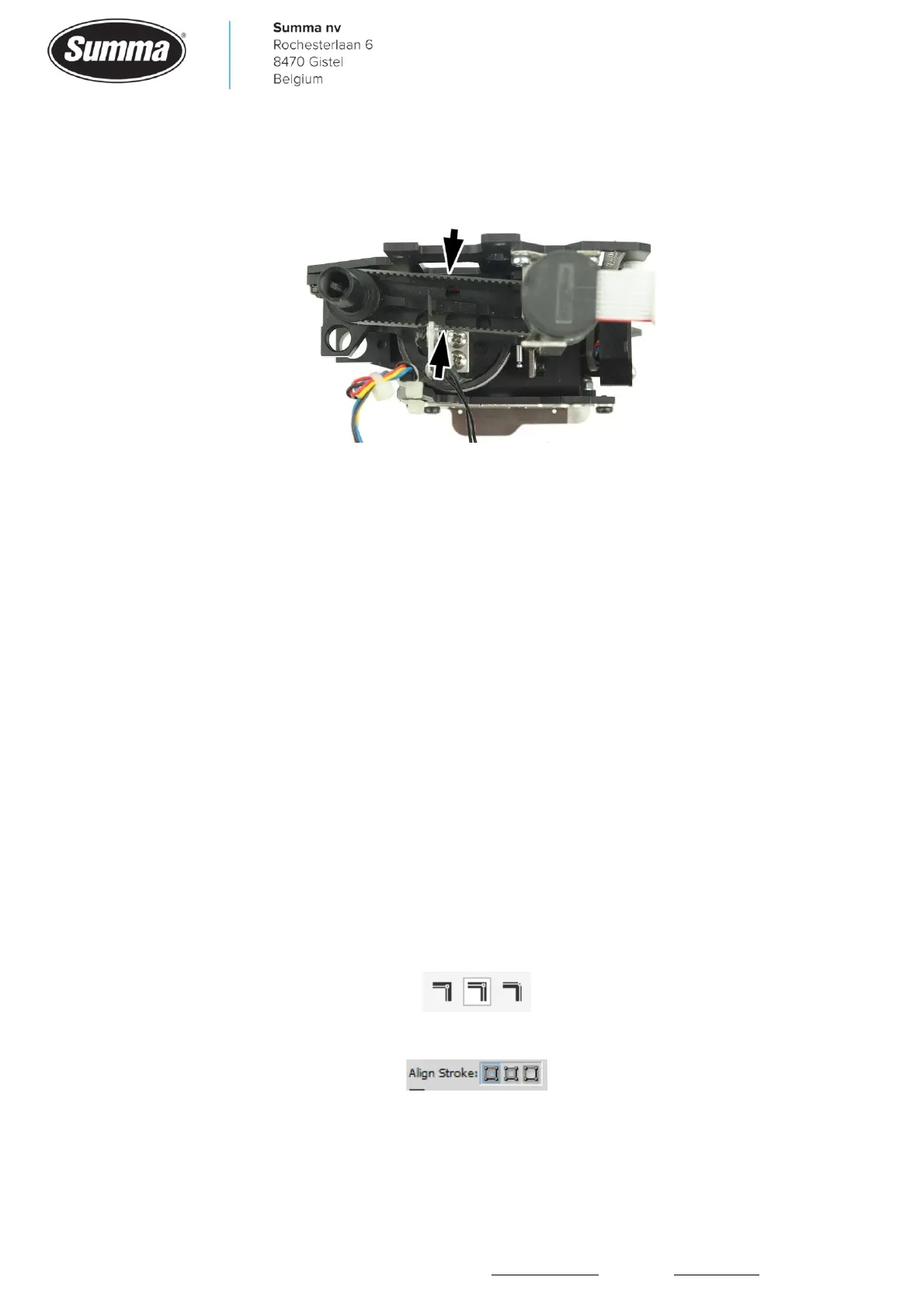
• On a tangential cutter head, the belt connecting the motor to the tool shaft may have a too
high tension. When the toolholder is completely lowered, the distance between front and rear
of the belt is 16 mm. Readjust the position of the motor on the bracket.
• The flat cable between the cutter head and the main board may be defective, having a bad
contact, causing the knife pressure to change.
• The electronics on the main board controlling the current for the cutter head coil may be
defective, causing the knife pressure to change.
6.3 Unable to change cutting pressure
When changing cutting pressure and the cutting depth does not change, then most likely the
FlexCut mode has been set active. Disable FlexCut to solve the issue. FlexCut is to be
activated by the software driving the machine.
Click [Settings] – [FlexCut] – [FlexCut mode] and set to “OFF”.
6.4 Machine cuts lines twice
When a job is cut twice over each other, then probably the option “Panel replot” has been
set to 1. Set this option to zero.
Or the software driving the machine has sent each curve twice. This could be due to the way
the job has been designed and exported to the driver software:
• When designing in CorelDraw, use the option “Center Line”:
• When designing in Adobe Illustrator, use the option “Align stroke to center”:









 To Next Page