The information contained in this document is confidential, and only for the information of the intended recipient and may not be published or redistributed without the prior written consent of Summa NV.
Summa nv Tel +32 59 27 00 11 Fax +32 59 27 00 63 Email support@summa.com Website www.summa.com Page 28 of 76
When buttons cannot be activated, then use a different approach to calibrate the touch
screen: reboot the machine, and while the Summa logo is displayed, click and hold the upper
right corner of the display.
In case recalibrating the touch screen does not help, then the display may be defective, and
needs replacement.
4.16 Vacuum fan does not work
The vacuum fan is used to create a vacuum under the media to hold the media flat to
prevent the knife to score the top of the media. It will also make the media stronger to
reduce deformation of the media to become better cutting quality.
Operation of the vacuum fan is controlled by the main board.
As soon media is inserted in the machine, which is detected by the media sensors when set
active, or when the pinch roller lever is manipulated, the vacuum fan is activated.
After some time of inactivity (30 seconds), the vacuum fan is switched off.
In case media was already loaded, then the fan is activated as soon as cutting commands
are received.
In case the vacuum fan cannot be controlled (does not switch on or does not switch off)
then this could be due to the following:
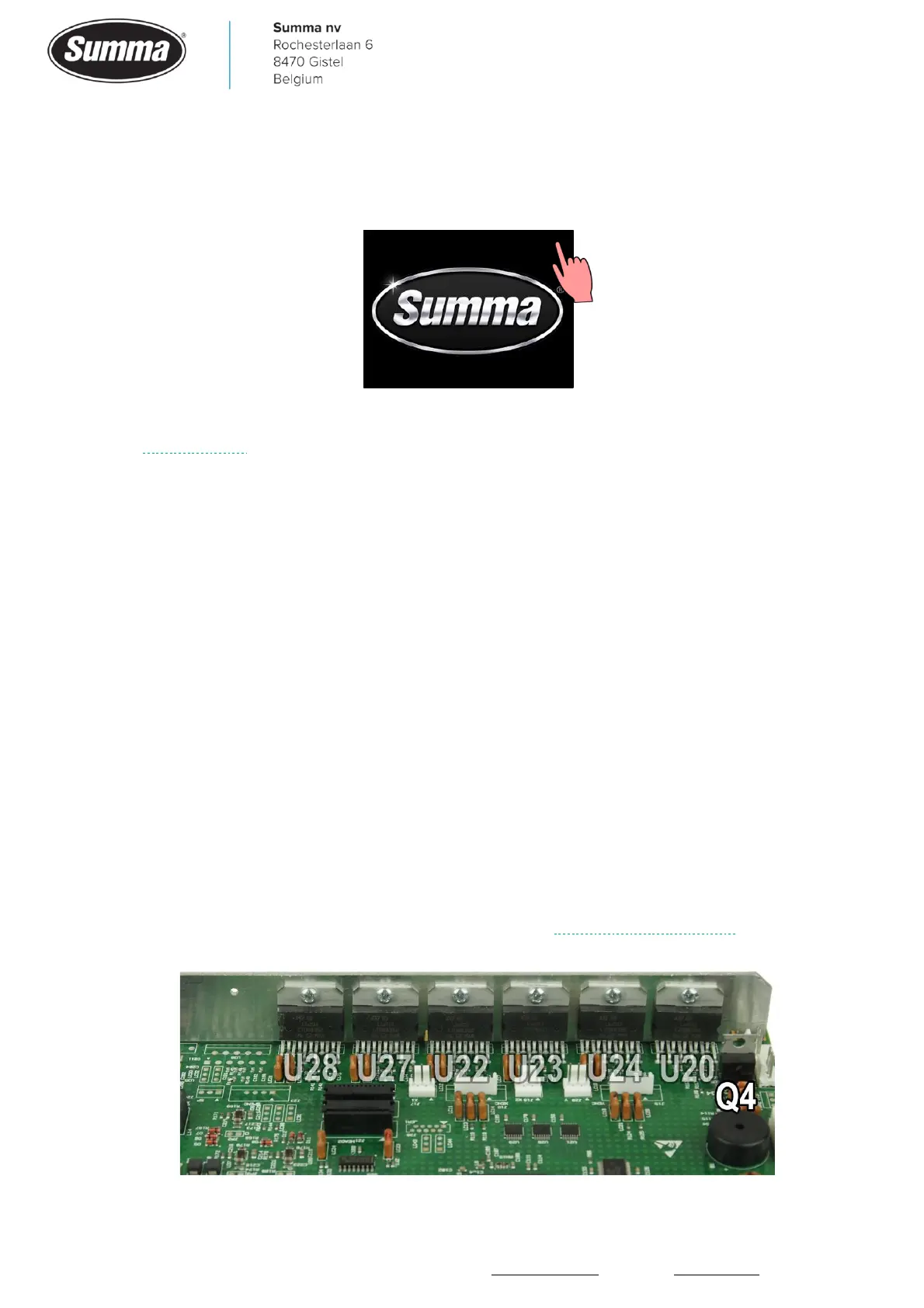
• The fan is controlled by transistor Q4 on the main board. Probably this transistor is defective,
or the circuitry controlling this transistor is defective. Replace the main board.









 To Next Page