The information contained in this document is confidential, and only for the information of the intended recipient and may not be published or redistributed without the prior written consent of Summa NV.
Summa nv Tel +32 59 27 00 11 Fax +32 59 27 00 63 Email support@summa.com Website www.summa.com Page 57 of 76
• The OPOS sensor does not always touch the media. This could be due to insufficient slack of
the wires between the OPOS sensor and the PCB on the cutter head. See also “OPOS
registration marks not read”.
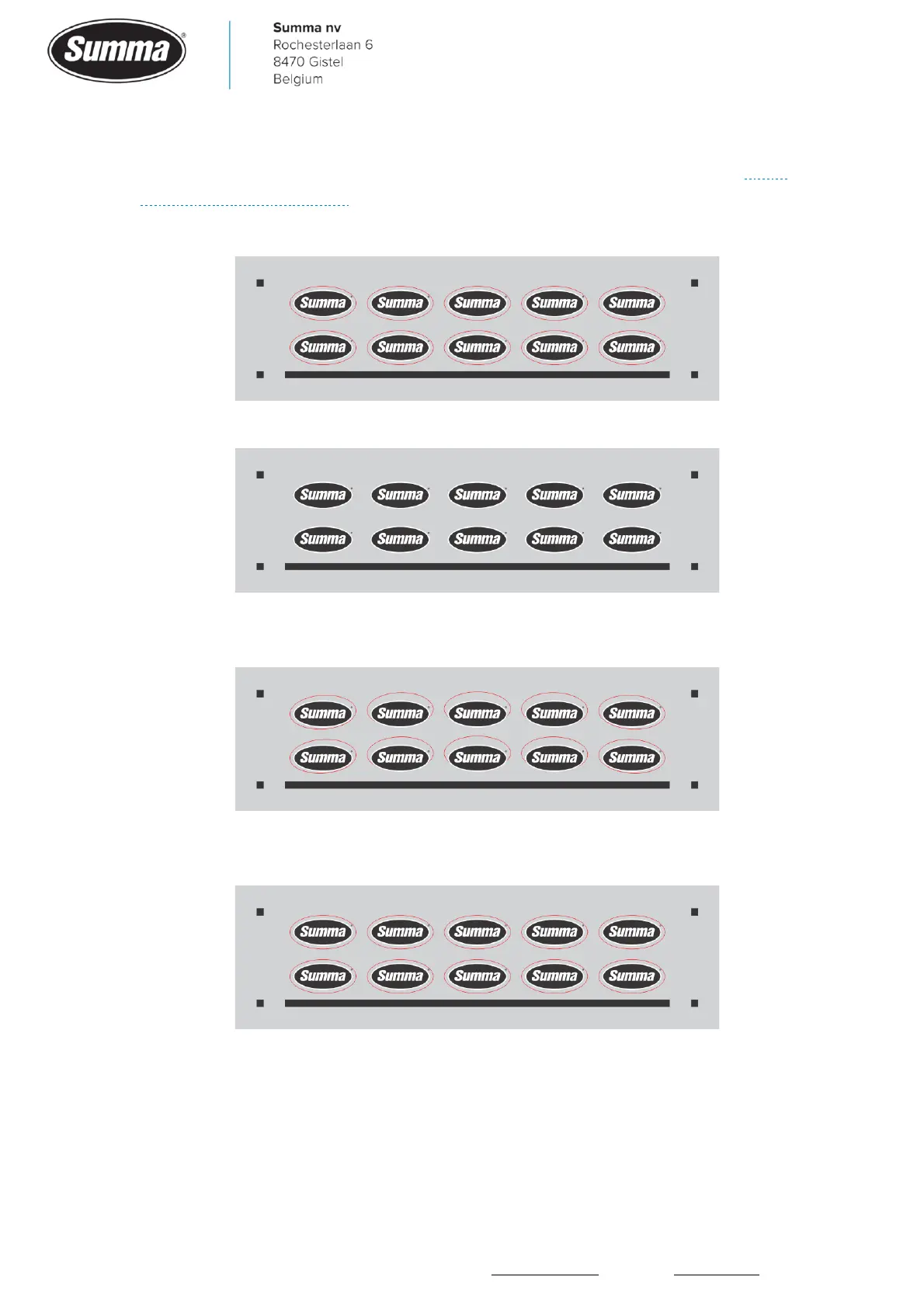
▪ How the design was created:
▪ The print may have a small or even no bowing:
▪ In case the OPOS sensor could not correctly read the bowing of the horizontal line, then
bowing of the contour could be introduced when using the OPOS-XY alignment method:
▪ When using the OPOS-X alignment method, then less bowing of the contour would be
visible:
7.4 Cutting stops after first panel
In case OPOS paneling has been activated, then the machine will read the front 4
registration marks, then starts cutting until the first panel is finished. Then the next 2
registration marks are read (OPOS panels ON, 2 marks used) and eventual the last 2 marks
from the previous panels are reread (OPOS panels ON, 4 marks used). When the machine









 To Next Page