The information contained in this document is confidential, and only for the information of the intended recipient and may not be published or redistributed without the prior written consent of Summa NV.
Summa nv Tel +32 59 27 00 11 Fax +32 59 27 00 63 Email support@summa.com Website www.summa.com Page 7 of 76
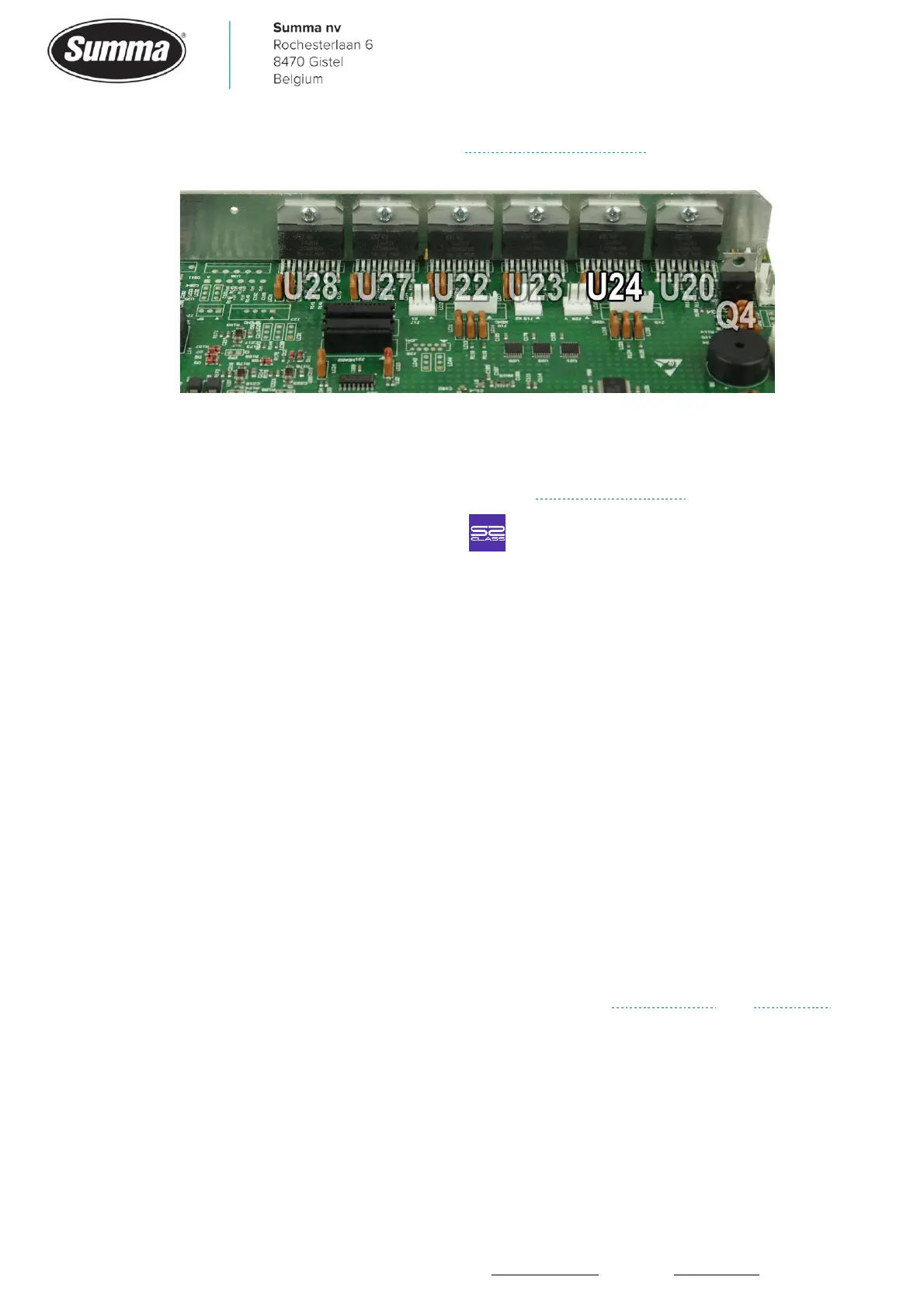
• Defective driver (U24) on the main board. Replace the main board.
• Wires not firmly seated in the motor connector.
• Motor connectors not sufficient seated in the sockets on the main board.
• Worn belts used to drive the cutter head. See also “Curves do not close”.
• Machine type has been set incorrect. Click to verify machine type.
• The system parameter “num_camrollers” is set incorrect: set to 0 for a standard machine, or
set to exact amount of pinch rollers in the machine when additional pinch rollers were added
or removed.
2.2 X-axis error! Overflow!
When media is loaded, and cannot be moved to the commanded position, then the error
message is displayed. When the machine is switched off, and no media loaded with the pinch
rollers lifted, the drive drum should be able to be rotated by hand smoothly.
The error message could be displayed because of the following issues:
• Autoload was disabled whilst using roll media. Set “Autoload” to ON: click [Settings] – [More]
– [General] – [Autoload], select “ON” and confirm.
• Mechanical obstruction of the drive drum: check the media, check for parts jammed between
grit rollers and base plate.
• Defective encoder on the X-axis motor. Usually the media will stall, or be fed at a high speed.
Functionality can be checked from the “Monitor” display, see Service mode and X-encoder.
• Worn X-motor(s).









 To Next Page