The information contained in this document is confidential, and only for the information of the intended recipient and may not be published or redistributed without the prior written consent of Summa NV.
Summa nv Tel +32 59 27 00 11 Fax +32 59 27 00 63 Email support@summa.com Website www.summa.com Page 56 of 76
• The system parameter “s1_class” was set to 1. In this case the sensor is not dropped on the
media and hovers over the media while searching for the registration marks. Start the machine
in service mode, click [SERVICE MODE] – [SERVICE] – [System registers] and set the system
parameter “s1_class” to zero.
• When the OPOS sensor has to read the registration marks, it has to drop on the media to have
a good focus of the light beam used. In case the OPOS sensor does not touch the media, then
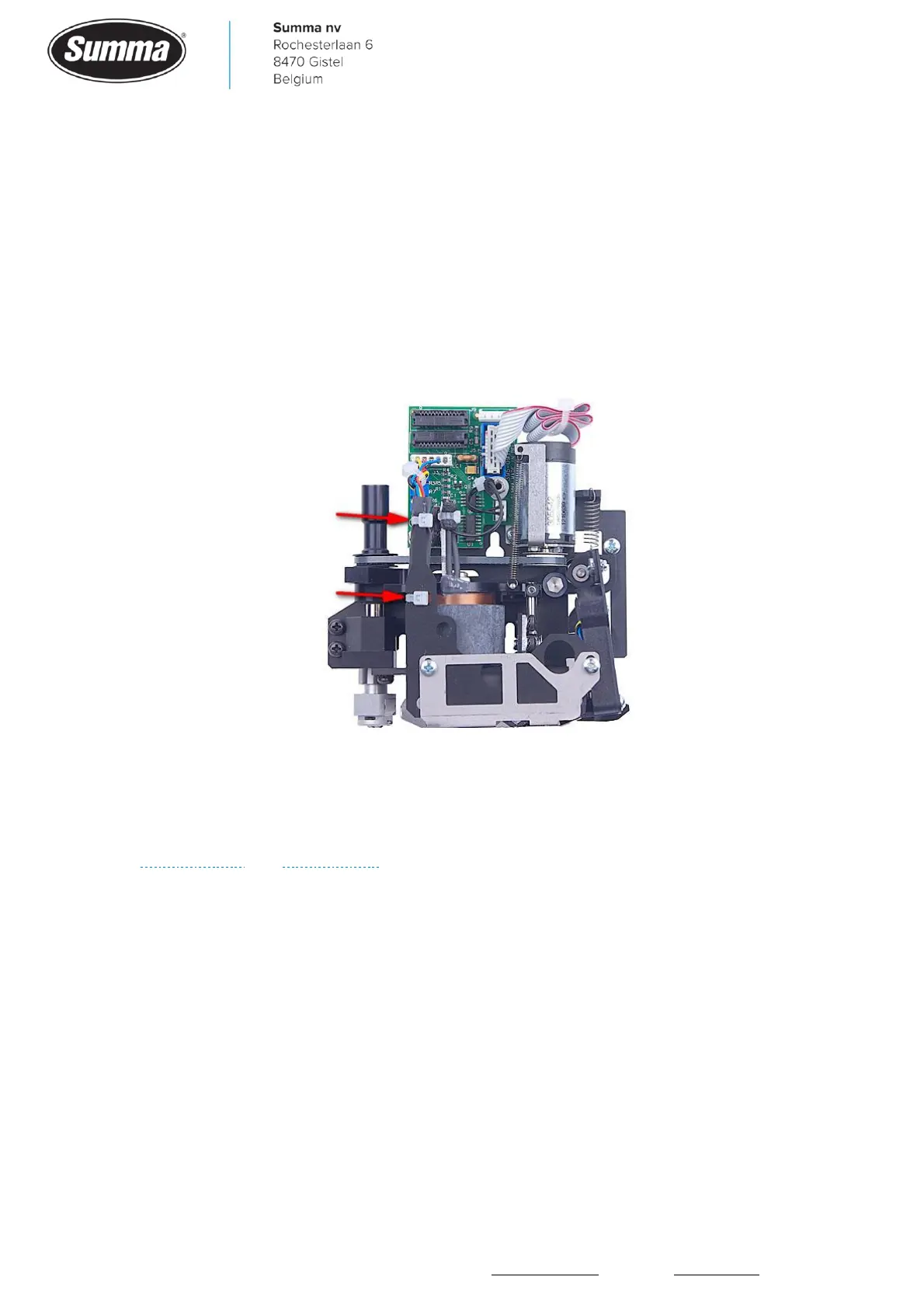
check the slack of the wires used between the OPOS sensor and the PCB in the cutter head.
Create more slack on the wires if necessary by cutting the cable ties, lower the wires, and
secure again with cable ties.
• The OPOS sensor may be defective. Check the OPOS sensor from the display: click [Settings] –
[More] – [OPOS] – [More] – [OPOS monitor]. Slide white media under the OPOS sensor: value
displayed should be below 300. Slide black printed media under the OPOS sensor: value
displayed should be above 1500. Functionality can be checked from the “Monitor” display, see
Service mode and OPOS sensor.
7.3 Excessive bowing
When using the OPOS-XY alignment mode there could be an excessive bowing of the contour
being introduced. This is because the horizontal line used to compensate for the bowing
effect was not read correctly by the OPOS sensor. This could be due to the following:
• The sensitivity of the OPOS sensor was not set to match the media used. Click [Settings] –
[More] – [OPOS] – [Calibrate media (OPOS)] – [Set] to check current setting, or run the OPOS
sensor sensitivity test: click [Settings] – [More] – [OPOS] – [Calibrate media (OPOS)] –
[Measure].









 To Next Page