The information contained in this document is confidential, and only for the information of the intended recipient and may not be published or redistributed without the prior written consent of Summa NV.
Summa nv Tel +32 59 27 00 11 Fax +32 59 27 00 63 Email support@summa.com Website www.summa.com Page 42 of 76
6.5 Knife scratches media
When the knife has to hover over the media, the knife tip could touch the foil leaving
scratches on the top of the media. To avoid those scratches, check the following:
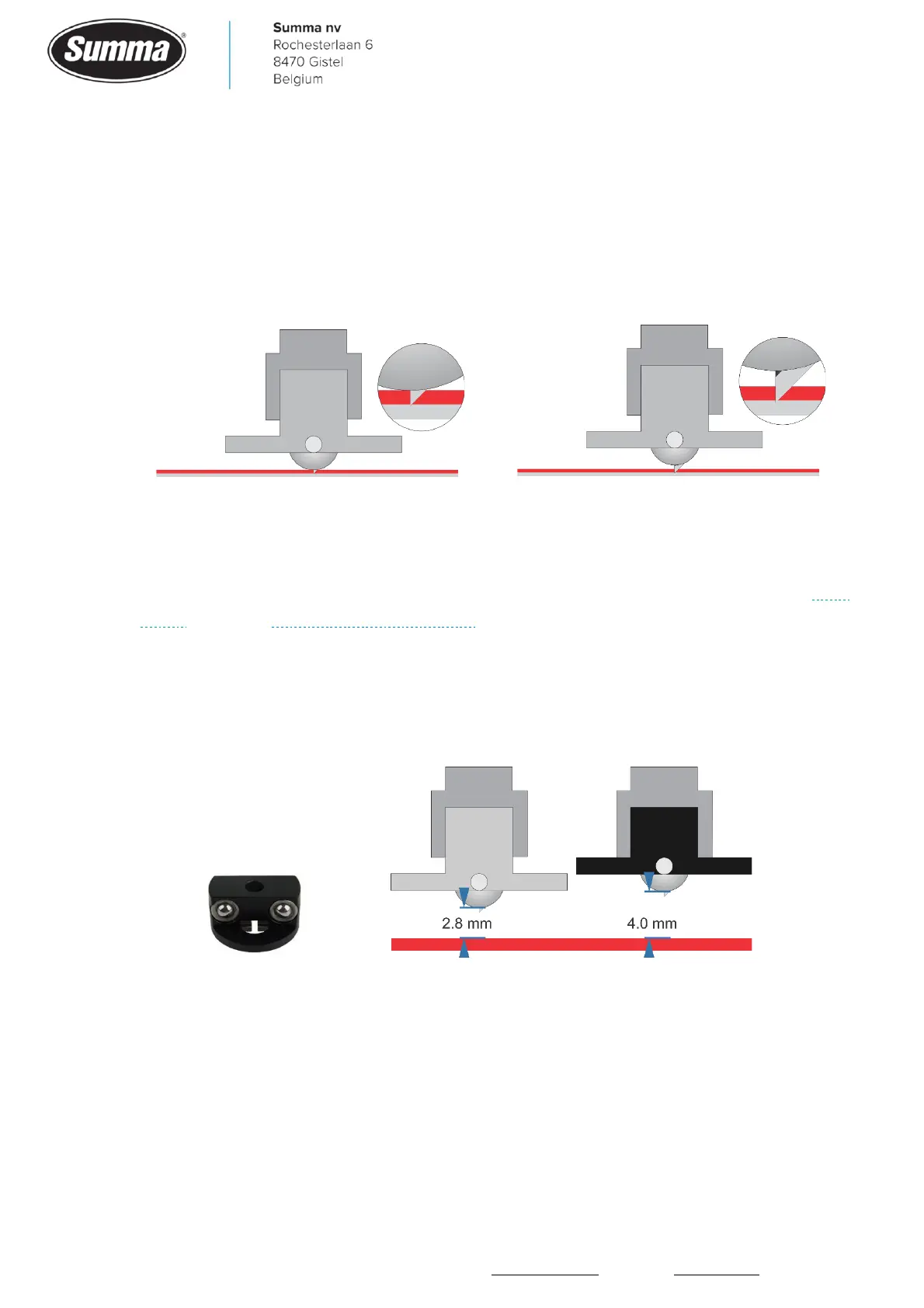
• The knife may extend too much out of the nose piece. In case FlexCut is not used (no die-
cutting), then adjust the knife depth in order the knife can only cut the foil without cutting the
backing. Increase the knife pressure by about 20 grams.
Correct knife depth setting
Incorrect knife depth setting
• Use the middle pinch rollers to hold the media flat.
• Check the vacuum fan, probably the fan is not active. Replace the fan, fan cable and/or main
board. See also “Vacuum fan does not work”.
• The holes in the base used to create a vacuum under the media may be clogged. Clean the
holes.
• The media may be too tick or wavy (e.g. laminated media). Use the black nose piece to have
an additional spacing of 1.2 mm between knife tip and media.
• Slow down cutting speed.
• Use a table on the front and/or on the back of the machine to keep material flat on cutting
surface.









 To Next Page