The information contained in this document is confidential, and only for the information of the intended recipient and may not be published or redistributed without the prior written consent of Summa NV.
Summa nv Tel +32 59 27 00 11 Fax +32 59 27 00 63 Email support@summa.com Website www.summa.com Page 31 of 76
• The basket may cover the ultrasonic sensor. In this case, reposition the horizontal bars for the
basket to uncover the ultrasonic sensor. The ultrasonic sensor has to be able to see the media.
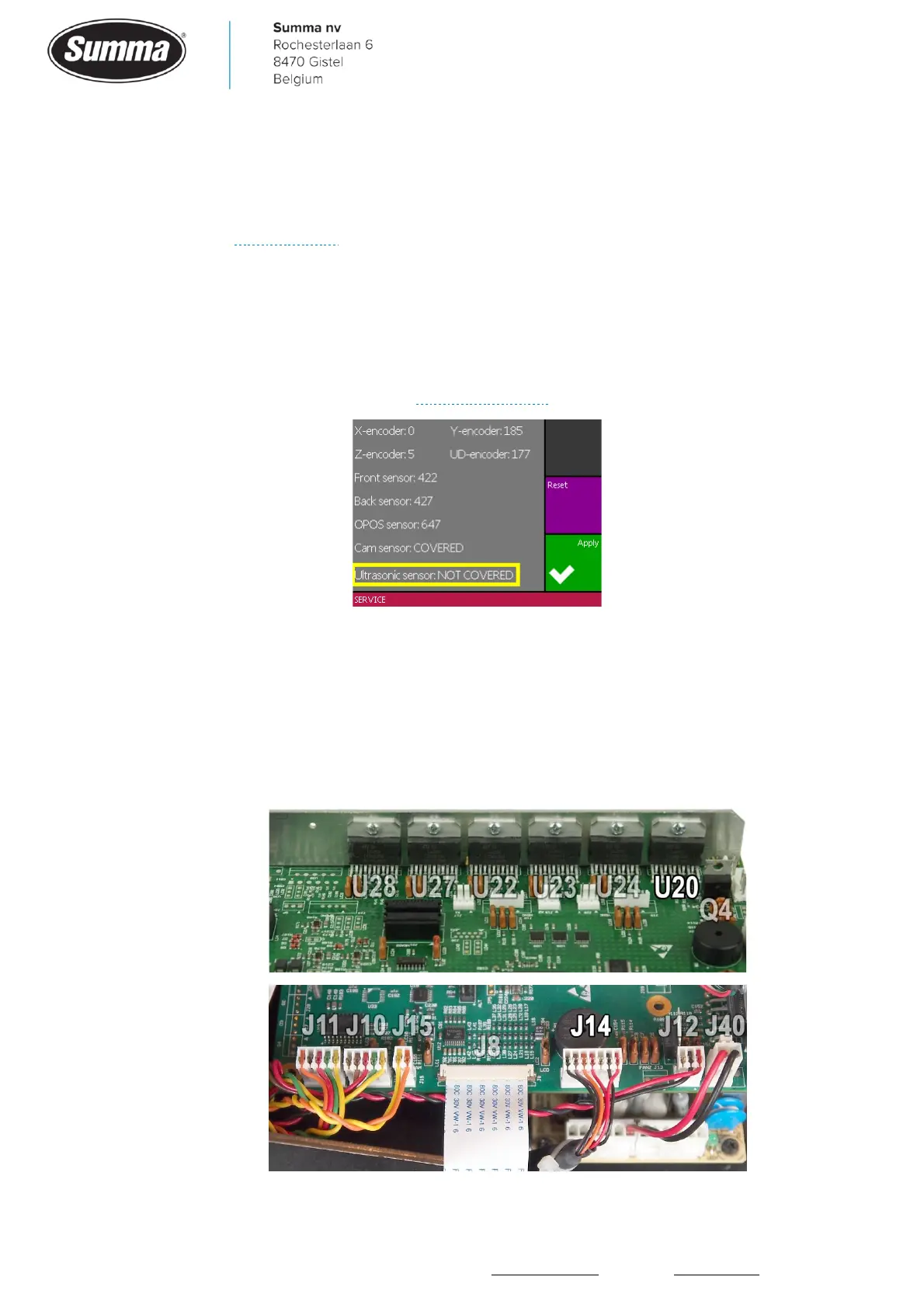
• The ultrasonic sensor may be defective. Functionality can be checked from the “Monitor”
display, see Service mode. Check the status for the Ultrasonic sensor. Hold an A4 sheet 10 cm
away from the sensor (rear roll of roll-up) to change the status to COVERED. Move the sheet
20 cm away (front roll of roll-up) to change the status to NOT COVERED. In case the sheet
needs to be less than 10 cm from the sensor to change the status to COVERED, then the
sensor in not sensitive enough. When the sheet needs to be moved further away than 20 cm to
have the status NOT COVERED, then the sensor is too sensitive. In those cases, replace the
Ultrasonic Sensor Module. See also Ultrasonic sensor.
• On loading of media, the machine may become unresponsive, displaying “Please wait,
loading…”. This is because the machine is waiting for the motor in the roll-up roll to wind the
media in order to uncover the ultrasonic sensor. The motor may be defective, the cable may be
interrupted (incorrectly connected, or wire not sufficient inside the connector), the connector
may not be correctly seated in the socket (J14), the driver (U20) on the main board may be
defective.









 To Next Page