Chapter 3 Hardware Configuration 57
Caution – Do not attempt to hot-plug a PCI card until you are certain that its device
drivers support PCI hot-plug operations; otherwise, you may cause a system panic.
For a list of Sun PCI cards and device drivers that support PCI hot-plug operations,
see the Sun Fire V890 Server Product Notes.
Status LEDs provide power, fault, and hot-plug status indications for each PCI slot.
A contact push button is also provided for each slot, which allows the service
technician to initiate the hot-plug procedure at the server. For information about the
status indicator LEDs, see “About PCI Slot LEDs” on page 143.
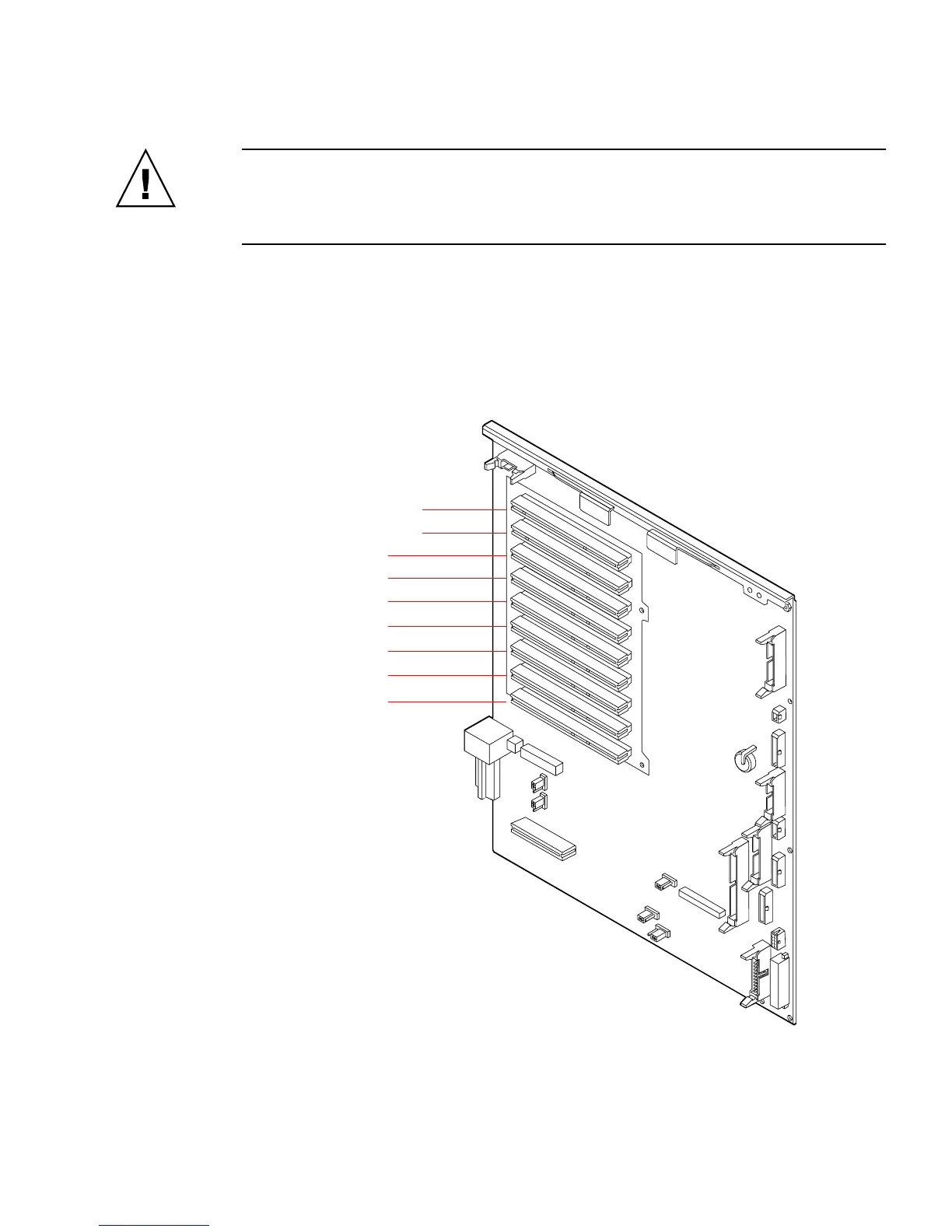
The following figure shows the PCI slots on the I/O board.
Slot 0 – 33MHz, 5V
Slot 1 – 33MHz, 5V
Slot 2 – 33MHz, 5V
Slot 3 – 33MHz, 5V
Slot 4 – 33MHz, 5V
Slot 5 – 33MHz, 5V
Slot 6 – 33MHz, 5V
Slot 7 – 33/66MHz, 3.3V
Slot 8 – 33/66MHz, 3.3V











 To Next Page