RUN EXCITE: Service & Maintenance Manual - rev. 1.5
Page 7.6
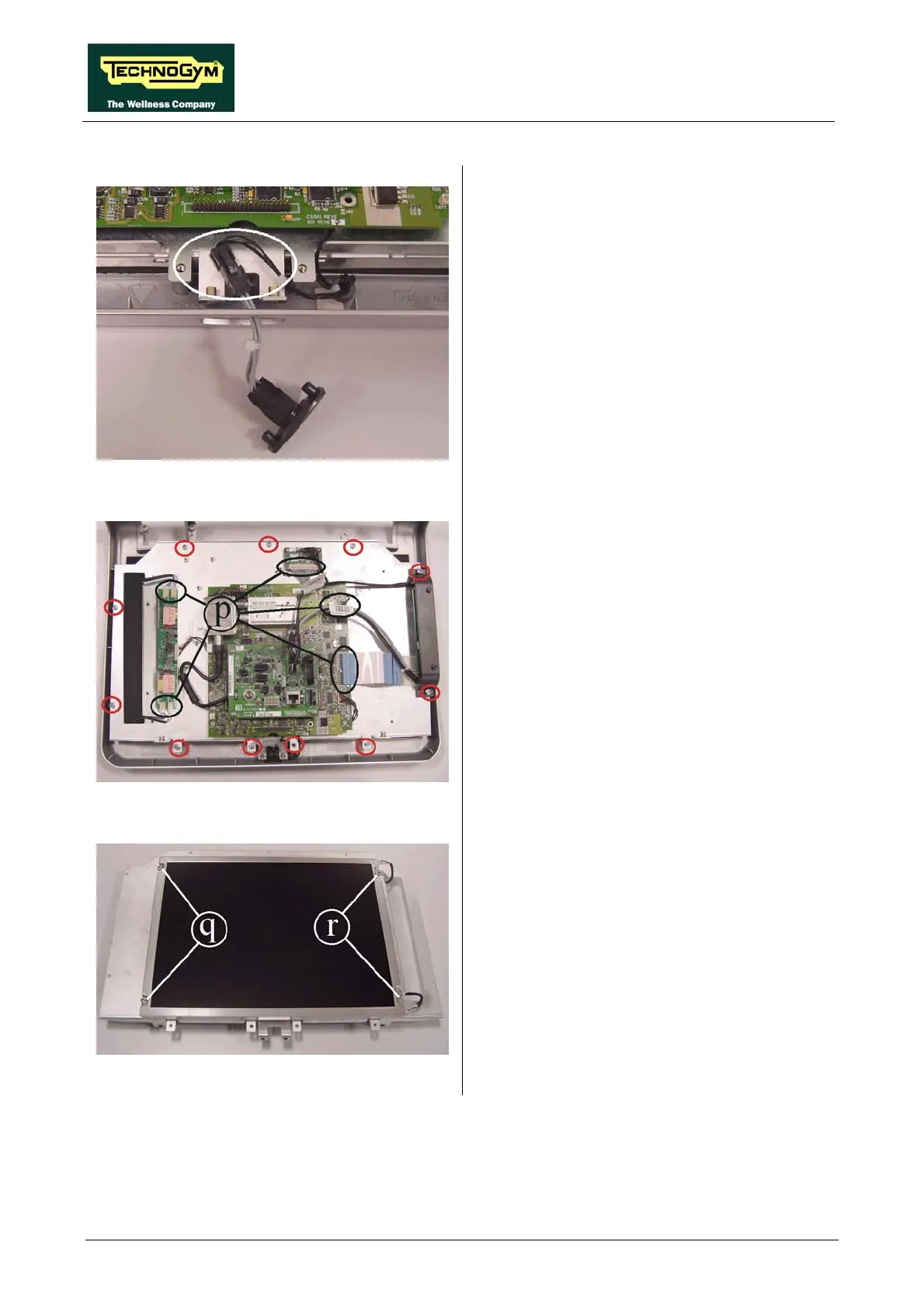
Figure 7.2-13
2. Pull the connector out of its seat and unplug
the connector indicated in the figure.
Figure 7.2-14
rs p indicated in the
he plate with the
3. Disconnect the connecto
figure, on the LVDS board, on the LCD
inverter of the keyboard and of the
headphone jack.
. Back off the 11 screws indicated in the 4
figure, that are fixing t
circuit boards to the front display covering.
5. Remove the display plate from the front
covering.
Figure 7.2-15
a small Philips
To reassemble the LCD and the circuit boards,
carry out the above steps in reverse order.
6. Back off the 2 screws q using
screwdriver.
7. Back off the 2 screws r using a small Philips
screwdriver.
8. Remove the LCD.



 To Next Page