RUN EXCITE: Service & Maintenance Manual - rev. 1.5
9.7. PROGRAMMING THE QUIXDRIVE_V INVERTER
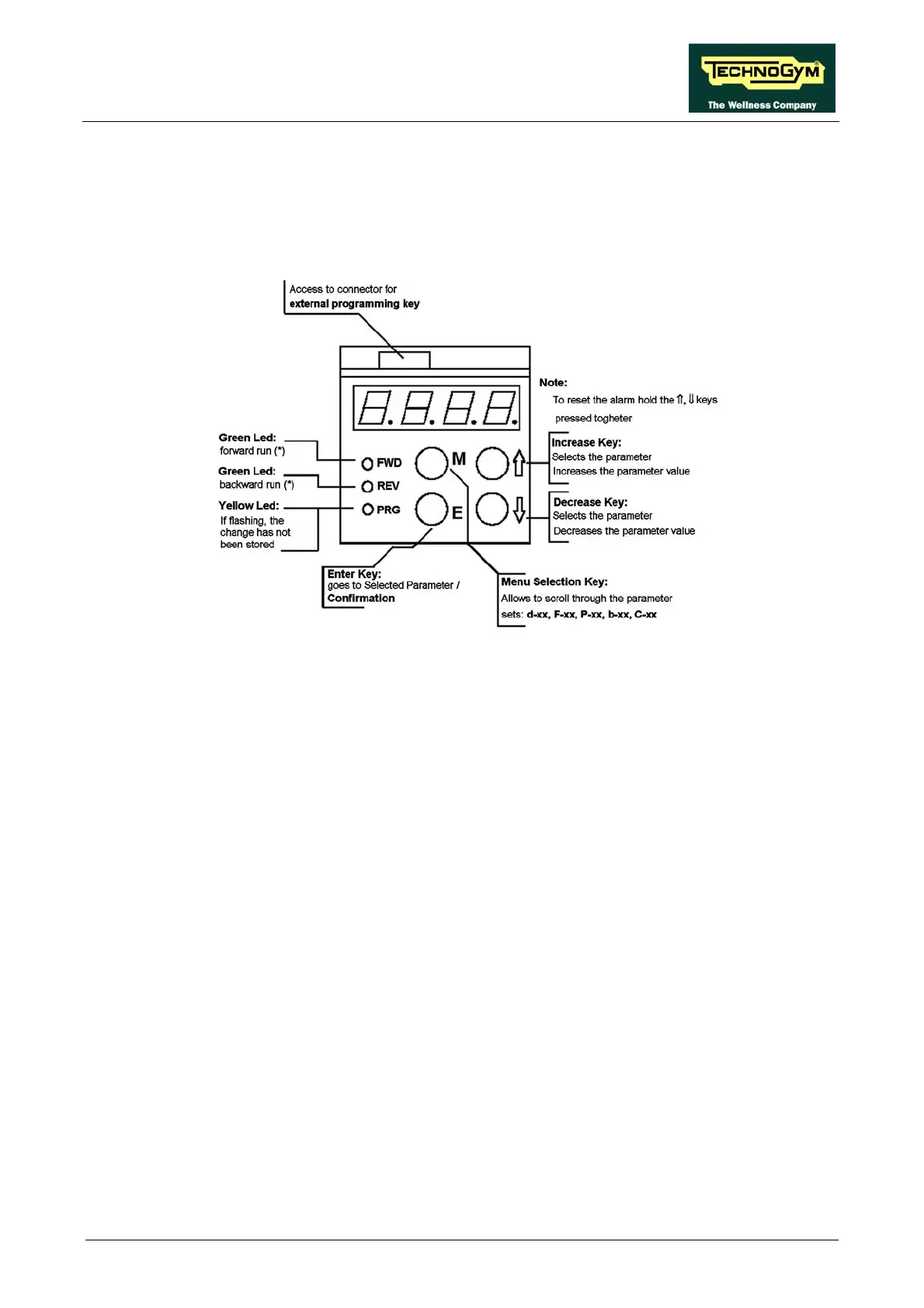
The QUIXDrive_V inverter can be programmed using the special keypad provided in the inverter
control panel. The f brief p Ds on the control
panel.
igure below provides a descri tion of the keys and LE
I k it means th the tio f the m r
or inverter are active.
is ons of letters and num fo
tter “P” = selected nu an e
e a a l
The pa e grouped into MENUs as follows:
s iew)
xx: menu of read / write parameters for f nc
arameters
• B-xx: menu of read / write parameters of ON/ iable only with motor
• C-xx: menu of command type parameters
. ITING PROCE E
ed, the control p g to possible
d , P, b, C param
1. Pre ly until the desired parameter menu appears (e.g. P-xx).
re code of the desired parameter appears
(e.g. P-114 “Default acceleration deceleration”), and press E.
f the green LEDs blin at func ns for preventing lockout o oto
The d play shows combinati bers, r example:
• P-xx: where the le me type, d the number “xx” = parameter cod
• xxx.x: a number, which may incl
parameter
ud decim l, expressing the value of the se ected
rameters ar
• d-xx: menu of read only parameter (v
• F- reque ies selectable from terminals
• P-xx: menu of read / write p
OFF type (modif
stopped)
9.7.1 PARAMETER ED DUR
When the inverter is suppli anel oes in MONITOR mode in which it is
to rea the values of the d, F eters.
ss the M key repeated
2. P ss the ⇑ and ⇓ keys to scroll within a menu, until the
Page 9.33



 To Next Page