RUN EXCITE: Service & Maintenance Manual - rev. 1.5
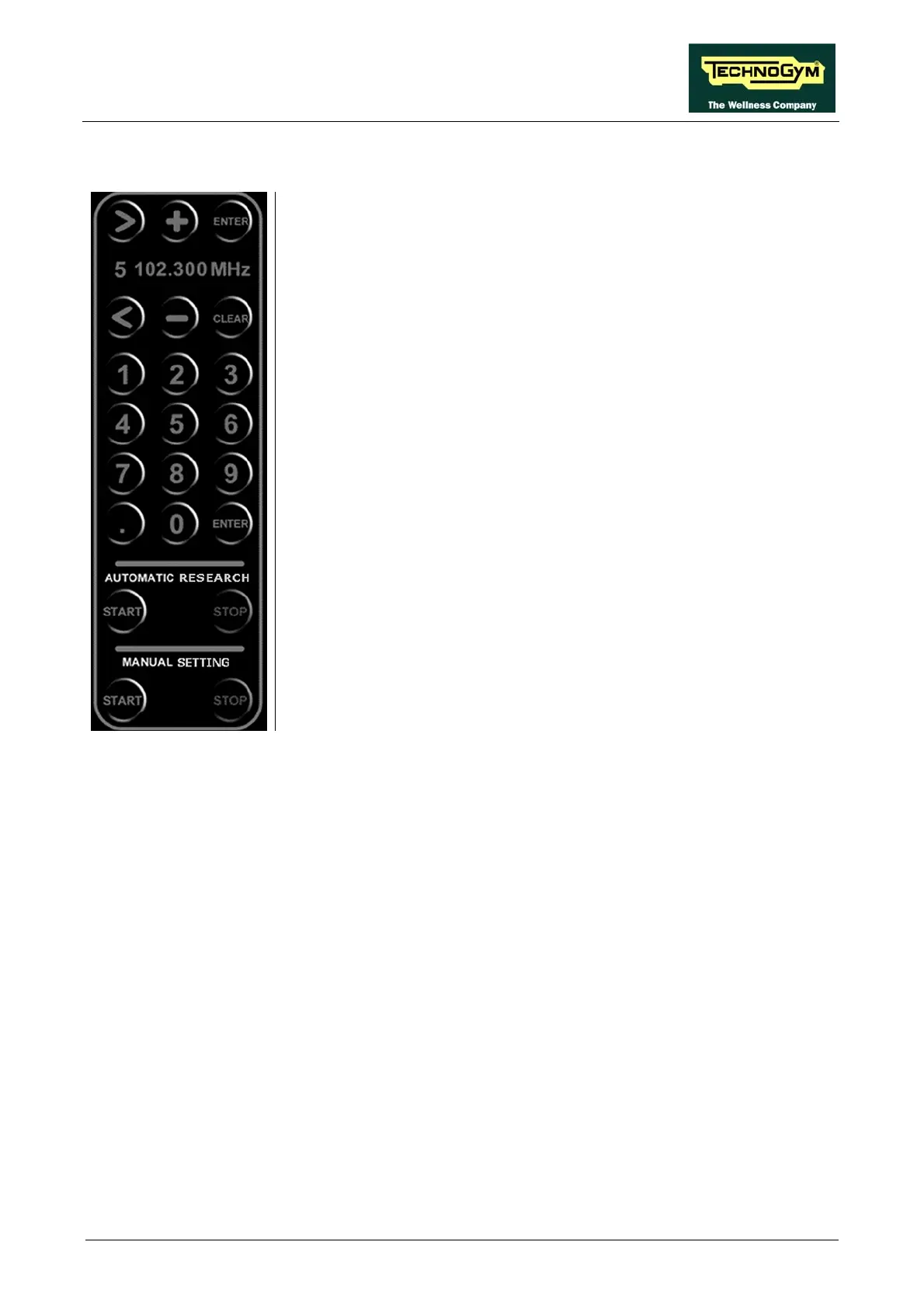
9.5.1.2. Automatic radio channel tuning procedure
1. Press the START button underneath the “AUTOMATIC SEARCH”
label to initiate automatic scanning of the FM radio band (88 – 108
MHz). During this stage, the channels found will be collected in a
AIT..." message appears along the top of the display.
3. Wait for the automatic search to finish, or interrupt it by pressing the
4. Use + and - buttons to select the desired channel (the display shows
he
5. Press ENTER to confirm the choice.
6. Use the < and > keys to select the number to assign to the channel.
the choice.
8. Repeat the above steps for each desired channel.
ing menu, press the "SAVE" key. Press ENTER
ING" label
temporary listing.
2. The "W
STOP key.
the frequency) out of those found during the automatic search. T
selected radio station can be heard on the headphones.
7. Press ENTER to confirm
9. Before exiting the tun
to confirm, or cancel by pressing the CLEAR key.
button underneath the "MANUAL SETT10. Press the STOP
to exit this tuning mode.
11. Exit with the "EXIT" key.
Page 9.31









 To Next Page