135
20. OFFSET MEASUREMENT
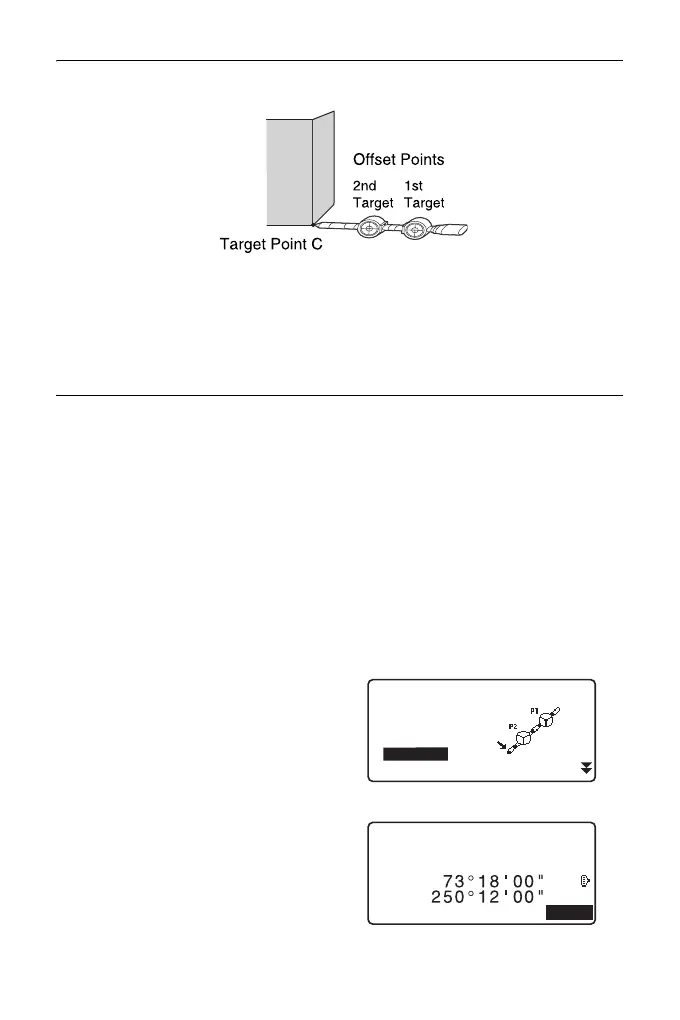
How to use 2-point target (2RT500-K)
• Install the 2-point target with its tip at the target point.
• Face the targets toward the instrument.
• Measure the distance from the target point to the 2nd target.
• Set the reflector type to “sheet”.
PROCEDURE
1. Install two offset points (1st target,
2nd target) on a straight line from
the target point and use the offset
points as the target.
2. Press [OFFSET] in page three of
OBS mode to display <Offset>.
3. Enter the instrument station data.
"13.1 Entering Instrument
Station Data and Azimuth
Angle"
4. Select “Offset/2D” in <Offset>.
• The tilt screen is displayed if the
instrument is out of level.
Level the instrument.
"7.2 Levelling"
5. Sight the 1st target and press
[MEAS].
Observation begins and the
measurement results are
displayed.
Press [YES]. The “2nd Target
Observation Screen” is displayed.
Occ.Orien.
OffsetDist
OffsetAng.
Offset2D
Offset
Offset Plan
C
ZA
HA-R
MEAS
Measure 1st pt



 To Next Page