16. SETTING-OUT LINE
102
•Press [1 : **] to change the
grade display mode to “1: * * =
elevation: horizontal distance”.
• It is also possible to perform setting-out line measurement by pressing [S-O
LINE] when allocated to the OBS mode screen.
Allocating [S-O LINE]: "33.3 Allocating Key Functions".
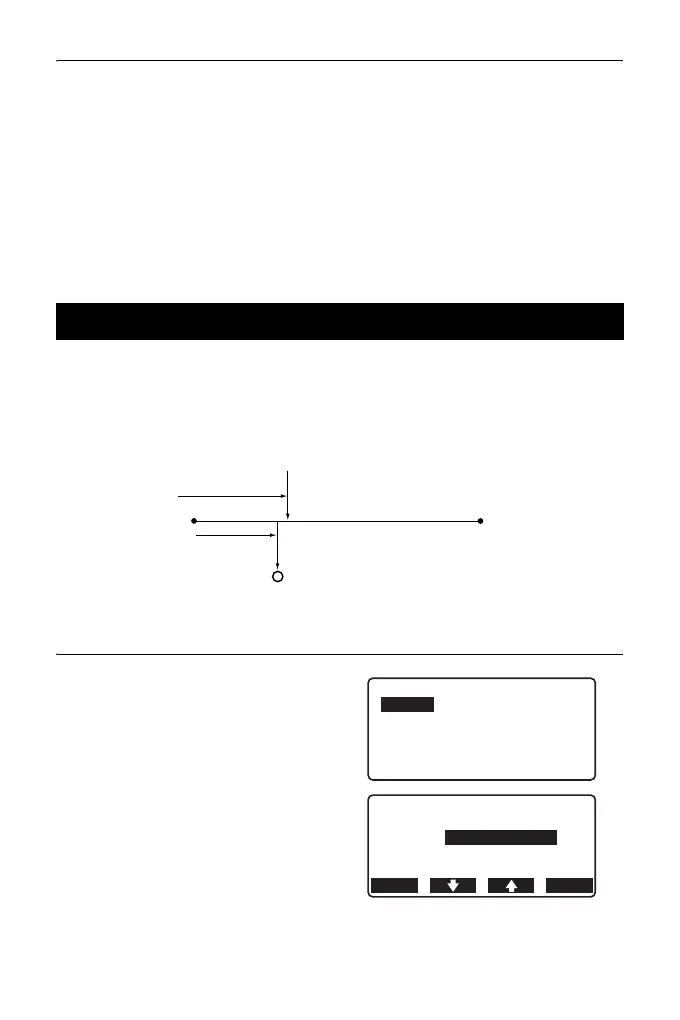
Setting-out line point measurement can be used to find the required point
coordinate by inputting the length and offset based on the baseline.
• Before performing setting-out line point, the baseline must be defined.
PROCEDURE
1. Select “Point” in <Set-out line>
2. Set the following items.
(1) Incr: Increment by which line
length and offset can be
decreased/increased using
the arrow softkeys.
16.2 Setting-out Line Point
Baseline
1st Pt.
Length
X direction
Y direction
Offset
Required point
2nd Pt.
Set-out line
Point
Line
Set-out line
Line
Offset
0.000m
OK
Incr 1.000m
0.000m
OFFSET



 To Next Page