187
25. ROUTE SURVEYING
8. Press {ESC} repeatedly to finish
calculation and return to <Road>.
• Press [WIDTH] to move to the width
peg setting screen.
"25.2 Straight Line Calculation"
• The centerline peg can be set-out by
pressing [S-O].
"15. SETTING-OUT
MEASUREMENT"
• In the case of a clothoid with no transition curve, the KA1 Point, KE1 Point, and
KA2 Point can be found in step 6.
• In the case of a circular curve, the BC Point and EC Point can be found in step
6.
• Intersection angle input range: 0° < IA < 180°
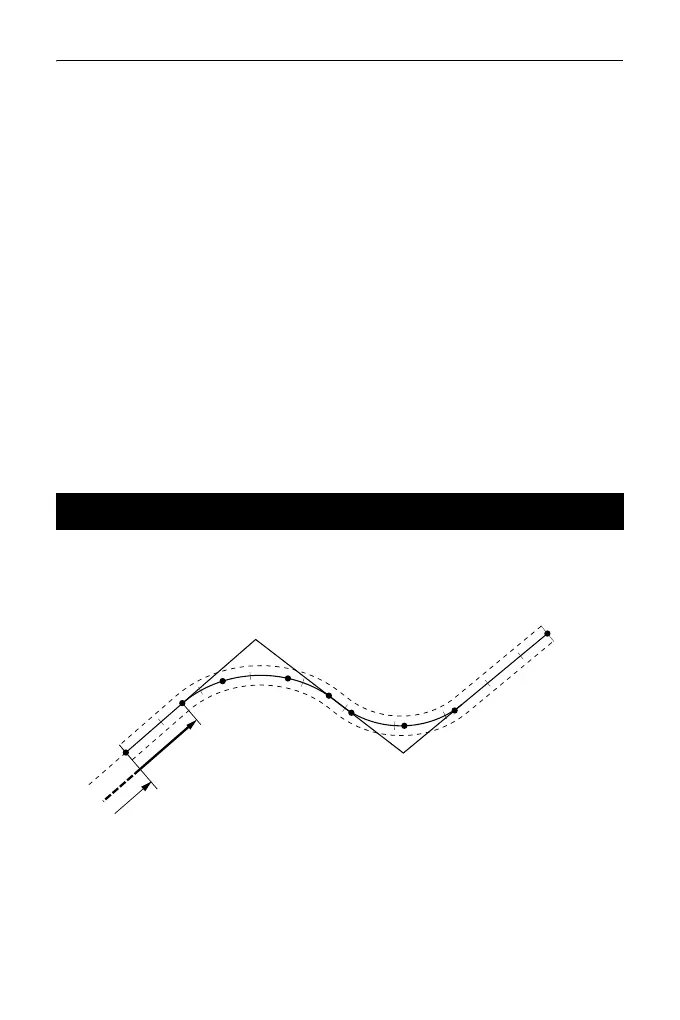
Route Calculation is used to find the center pegs and width pegs of a route which
contains a series of curves. It is then possible to proceed with setting-out. (The
illustration below is an example of a clothoid calculation)
• Route Calculation includes the following:
Curve properties input, curve properties display, automatic calculation of
cardinal points, arbitrary point calculation, and inverse width peg calculation.
• In the Route Calculation menu it is possible to set one route per JOB, each
route containing a maximum of 16 curves.
• Up to 600 points, including all center pegs and width pegs, can be calculated
using automatic calculation of cardinal points.
25.8 Route Calculation
BC2
KA1-1
KE1-1
KA1-2
KE1-2
EC2
Curve 1
Curve 2
No.1
No.2
No.3
No.4
No.5
No.6
No.7
No.8
No.9
SP2
BP
EP
Follow-up distance
Offset
IP point 1
IP point 2



 To Next Page