55
12. DISTANCE MEASUREMENT
• Check to make sure that sufficient reflected light is returned by the reflective
prism sighted by the telescope. Checking the returned signal is particularly
useful when performing long distance measurements.
• When the light intensity is sufficient even though the center of the reflective
prism and the reticle are slightly misaligned (short distance etc.), “*” will be
displayed in some cases, but in fact, accurate measurement is impossible.
Therefore make sure that the target center is sighted correctly.
PROCEDURE
1. Allocate the [S-LEV] softkey to the
OBS mode screen.
"33.3 Allocating Key Functions"
2. Accurately sight the target.
3. Press [S-LEV].
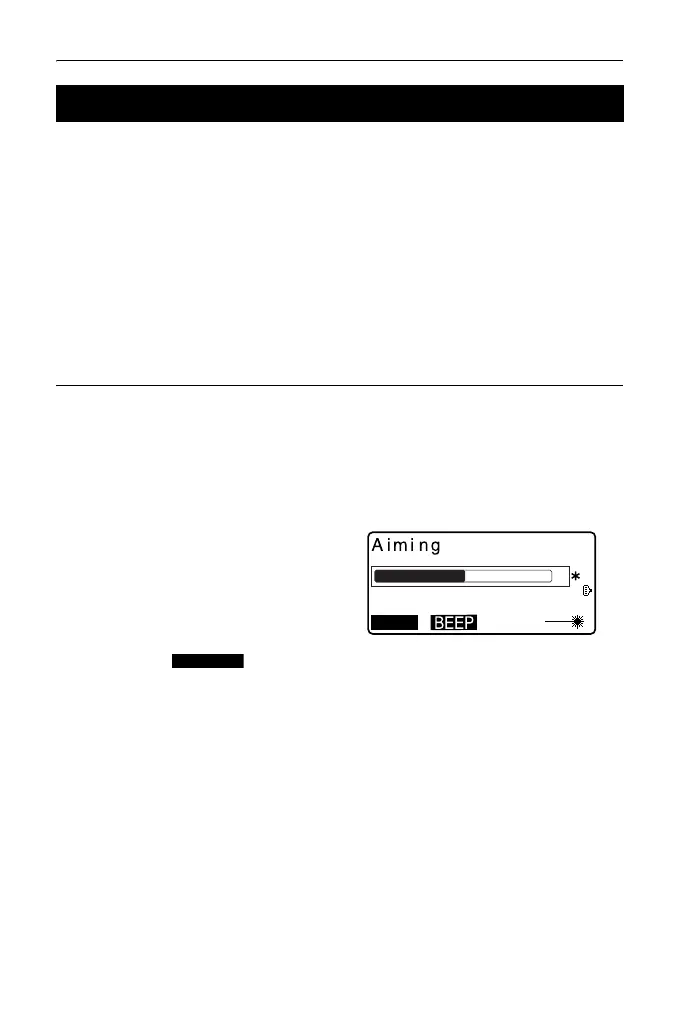
<Aiming> is displayed.
The intensity of the light of the
returned signal is displayed by a
gauge.
• The more displayed,
the greater the quantity of
reflected light.
• If “*” is displayed, only enough
light for the measurement is
returned.
• When “*” is not displayed,
accurately resight the target.
Press [BEEP] to make a buzzer
sound when measurement is
possible. Press [OFF] to shut off
the buzzer.
•Press [MEAS] to start distance
measurement.
12.1 Returned Signal Checking



 To Next Page