21. MISSING LINE MEASUREMENT
146
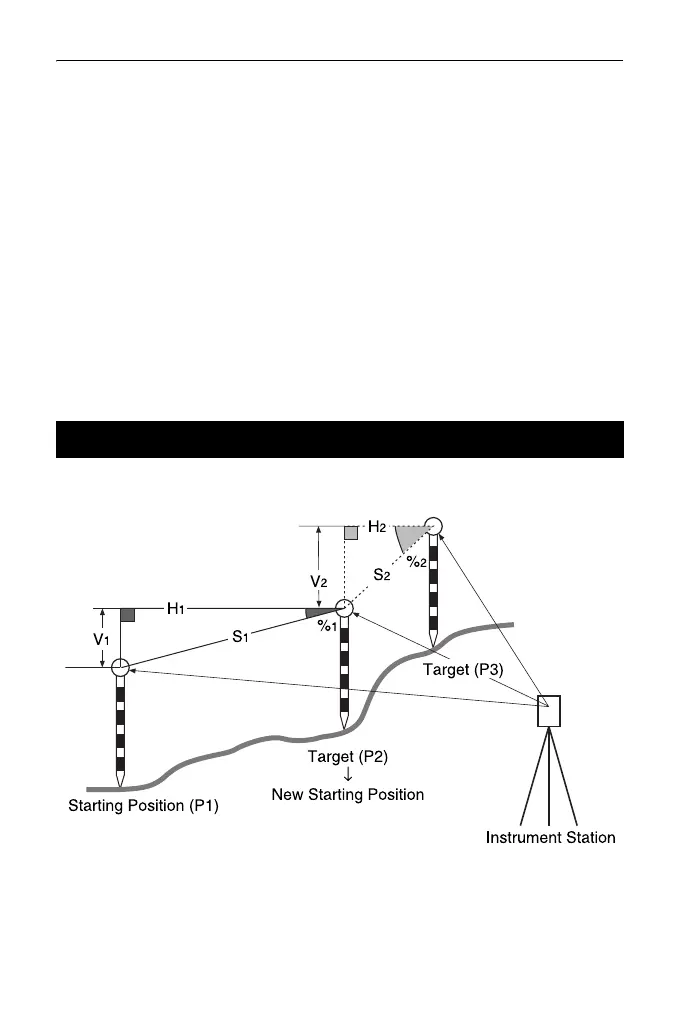
• When [MOVE] is pressed, the
last target measured becomes
the new starting position to
perform missing line
measurement of the next target.
"21.2 Changing the Starting
Point"
6. Press {ESC} to end missing line
measurement
Missing line measurement results cannot be recorded when point names for 1st
and/or 2nd target are null. Always input point names for both targets.
It is possible to change the last measured point to the next starting position.
21.2 Changing the Starting Point



 To Next Page