169
25. ROUTE SURVEYING
• The center peg can be stored as a
known point in the current job by
pressing [REC].
"30.1 Registering/Deleting
Known Point Data"
• The center peg can be set-out by
pressing [S-O].
"15. SETTING-OUT
MEASUREMENT"
• Press [CENTER] to return to the
center peg setting screen.
• When the azimuth angle is set after the coordinates have been input in step 4,
if the coordinates are deleted the azimuth angle is given priority.
• Offset/Follow-up distance input range: 0.000 to 99999.999 (m)
• Route width input range: -999.999 to 999.999 (m)
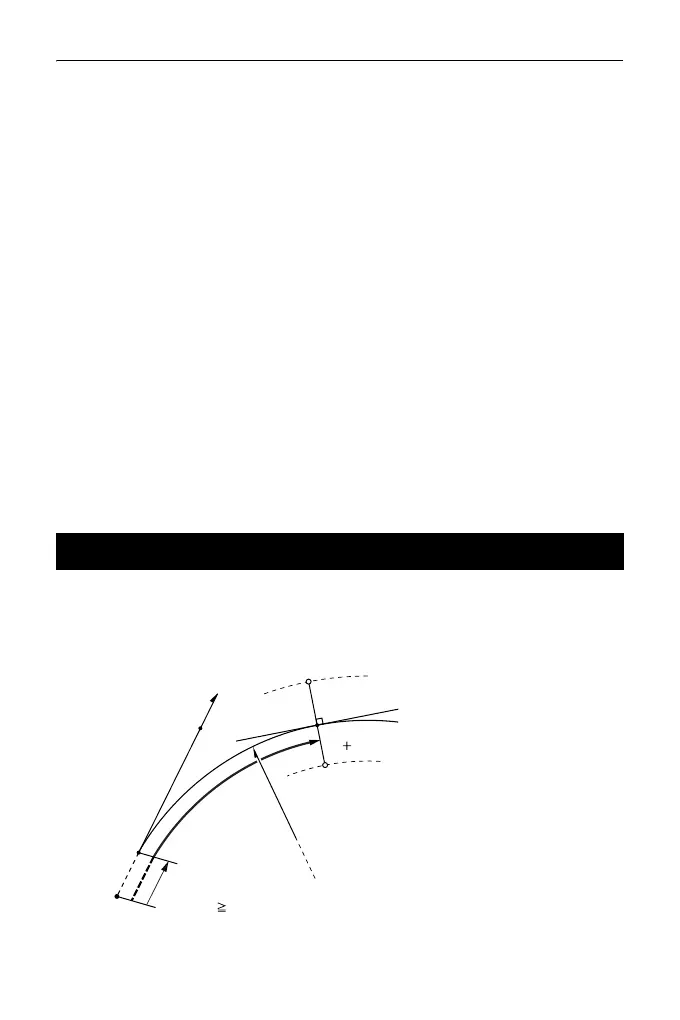
The coordinates of the center peg and width pegs on a circular curve can be found
from the coordinates of the BC point and IP point.
It is then possible to proceed with the setting-out of the center peg and width pegs.
25.3 Circular Curve Calculation
BC point (P1)
IP point (P2)
Circular curve radius (R)
Follow-up distance (DL)
Route width (BL)
Target point (Q)
Width peg (QR, QL)
BL-
BL
Q
QL
QR
AZ
P2
R
DL
Offset
Route origin
P1
DL
Offset



 To Next Page