229
29. SELECTING/DELETING A JOB
It is possible to clear the data within a designated JOB. After the data has been
cleared, the JOB name returns to the name allocated when the ES was shipped.
• A JOB that has not been output to an auxiliary device (displayed with *) cannot
be deleted.
PROCEDURE
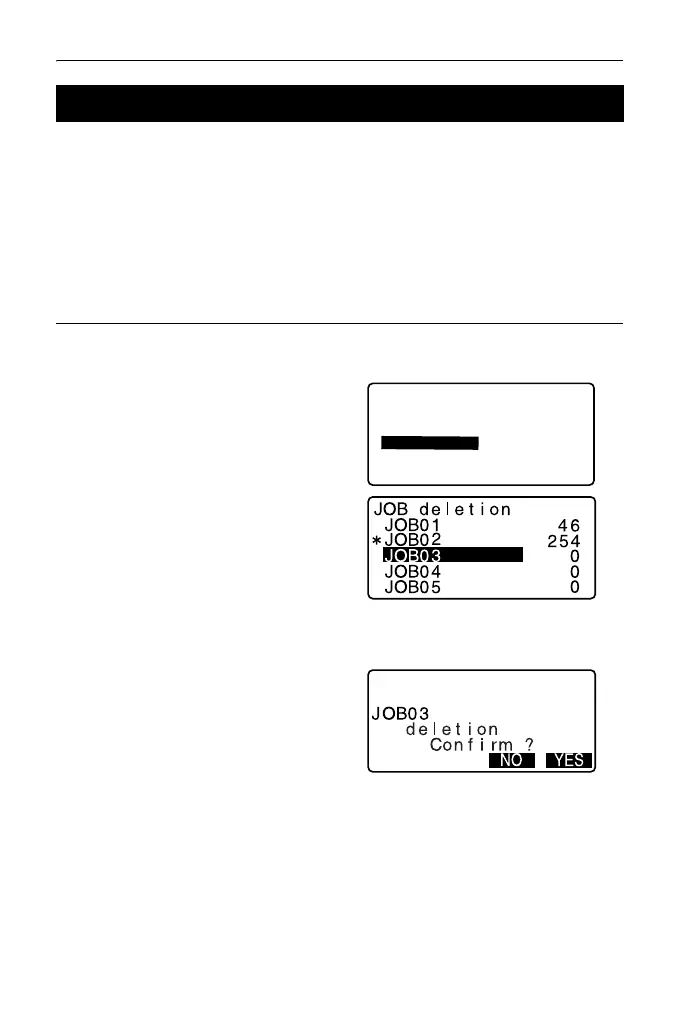
1. Select “JOB” in Data Mode.
2. Select “JOB deletion”.
<JOB deletion> is displayed.
• The numbers to the right
represent the number of data
items in each JOB.
3. Align the cursor with the desired
JOB and press {ENT}.
4. Press [YES]. The data within the
JOB selected is deleted and <JOB
deletion> is restored.
29.2 Deleting a JOB
JOB
JOB selection
JOB details
JOB deletion
Comms output
Comms setup



 To Next Page