20. OFFSET MEASUREMENT
138
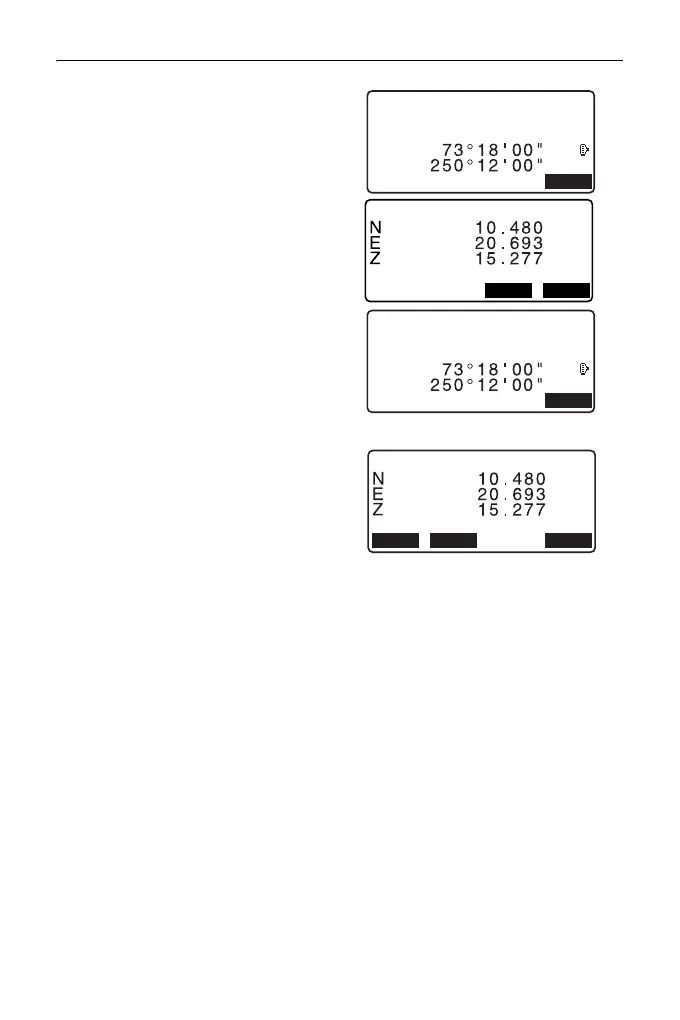
4. Sight the first point (P1) on the
plane and press [MEAS] to begin
measurement.
The measurement results are
displayed. Press [YES].
5. Sight the second point (P2) and
the third point (P3) on the plane
and press [MEAS].
The measurement results are
displayed. Press [YES] to define
the plane.
6. Accurately sight the direction of
the target point.
The distance and angle of the
target point are displayed.
• When [HVD] is pressed, display
mode is switched from
coordinates to SD, ZA, HA-R.
• To record the calculation result,
press [REC].
"28. RECORDING DATA -
TOPO MENU -"
Sight the next target point.
7. After finishing measurement,
press [OK] in the screen of step 6
to return to <Offset>.
C
ZA
HA-R
MEAS
Measure 1st pt
C
ZA
HA-R
MEAS
Measure 3rd pt
OKREC HVD
Offset Plane
4th meas. OK ?



 To Next Page