231
30. REGISTERING/DELETING DATA
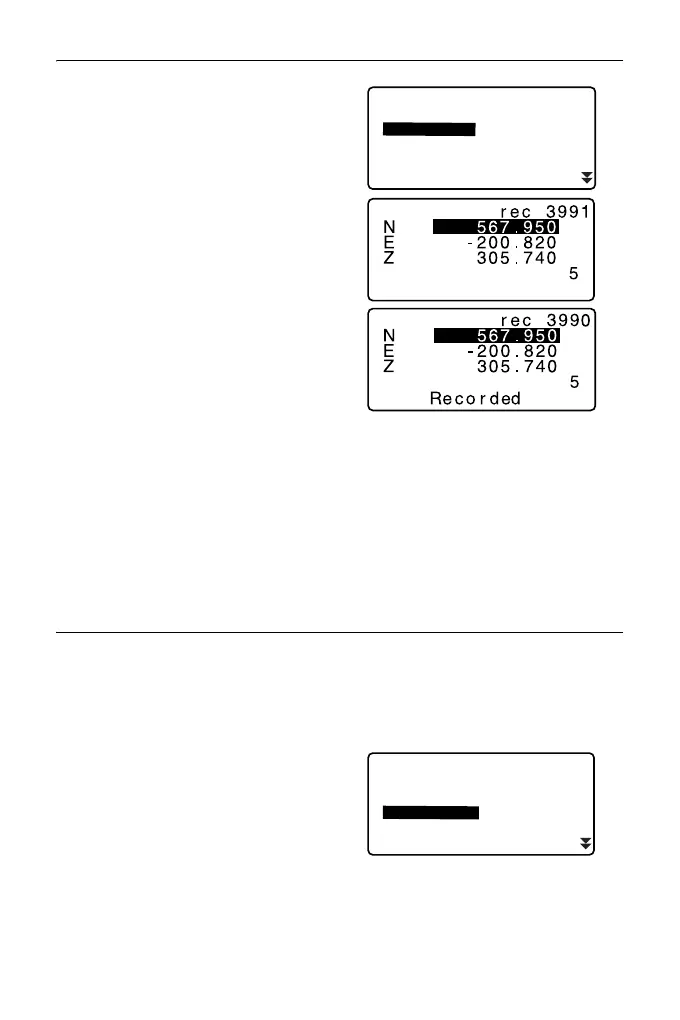
2. Select “Key in coord” and input
known point coordinates and point
name.
3. After setting the data, press
{ENT}.
The coordinate data is recorded in
the current JOB and screen in step
2 is restored.
4. Continue to enter other known
point coordinate data.
5. After the registration of all the
coordinate data has been
completed, press {ESC} to restore
<Known data>.
PROCEDURE Entering known point coordinate data from
an external instrument
1. Connect ES and host computer.
2. Select “Known data” in Data
Mode.
3. Select “Comms input” to display
<Comms input>.
Known data
Job.JOB1
Key in coord
Deletion
Comms input
View
Known data
Job.JOB1
Key in coord
Deletion
Comms input
View



 To Next Page