233
30. REGISTERING/DELETING DATA
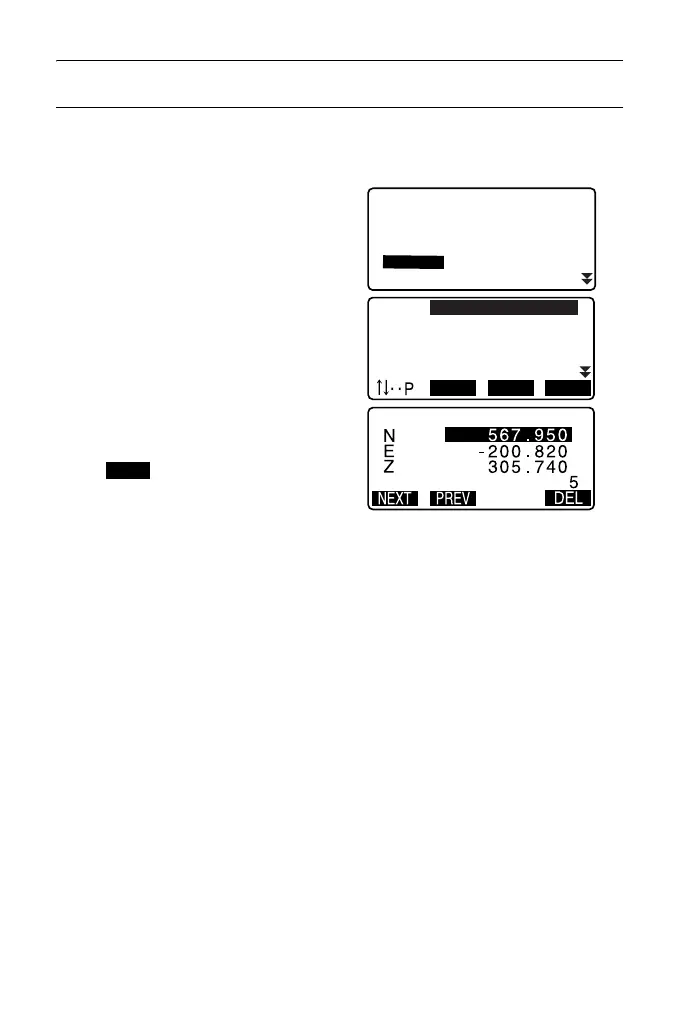
PROCEDURE Deleting designated coordinate data
1. Select “Known data” in Data
Mode.
2. Select “Deletion” to display the list
of known point data.
3. Select the point name to be
deleted and press {ENT}.
• [] = Use {
}/{} to move
from page to page.
• [...P] = Use {
}/{} to select
individual point.
•Press [FIRST] to display top of
point name list.
•Press [LAST] to display end of
point name list.
• [SRCH]
"13.1 Entering Instrument
Station Data and Azimuth
Angle PROCEDURE
Coordinate Data Search
(Complete match) /
PROCEDURE Coordinate
Data Search (Partial match)"
4. Press [DEL] to delete the selected
point name.
•Press [PREV] to display
previous data.
•Press [NEXT] to display next
data.
PT
PT
PT
PT
PT
012
013
POINT01
ABCDEF
123456789
FIRST LAST SRCH
Known data
Job.JOB1
Key in coord
Deletion
Comms input
View



 To Next Page