15
4. ES FUNCTIONS
Guide light status
When the guide light is turned ON, it is displayed as a symbol in the display
unit.
"5.2 Display Functions"
Handle
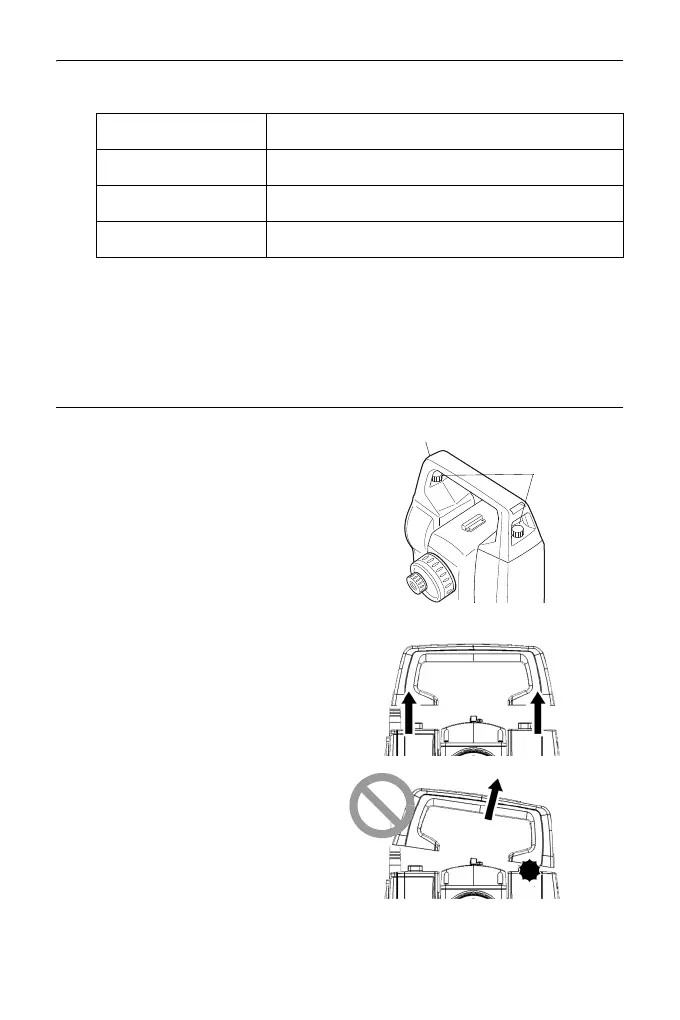
The handle can be removed from the
instrument. To remove it, loosen the
handle locking screw.
• To remove the handle, hold both
sides of the handle and lift it straight
above. If you hold the handle by one
hand or incline it, the terminal
attached on the handle may be
damaged.
Light status Meaning
Red (From position of poleman) Move target left
Green (From position of poleman) Move target right
Red and Green Target is at correct horizontal position
Handle
Handle
locking screw



 To Next Page