32. USING USB MEMORY DEVICE
248
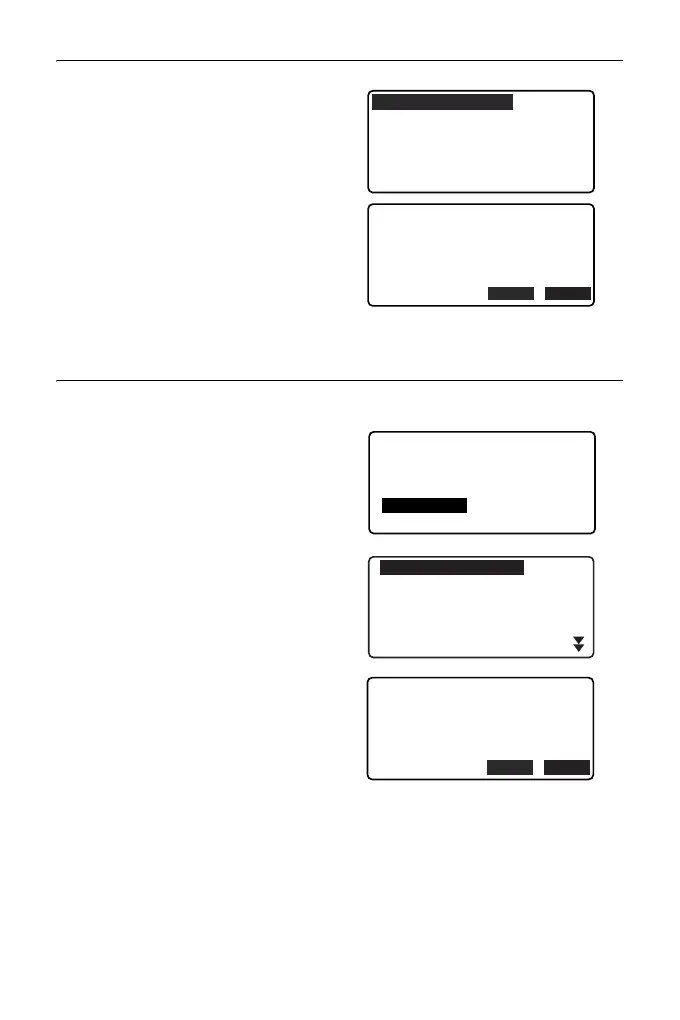
4. In the list of files, select the file to
be read in and press {ENT}.
5. Press [YES] to read in the file on
the ES. <Media> is restored.
To cancel reading, press {ESC}.
PROCEDURE Loading code
1. Select "Load code" on the first
page of the USB mode.
2. Select a file having code data you
wish to load and press {ENT}.
3. Pressing [YES] starts loading the
file. When loading is completed,
the screen returns to <USB>.
ABCDE
FGHI
JKLMNOPQ
ZZZ
XYZ
TXT
PNT
SDR
YES
NO
ABCDE
5354byte
Format
:GTS(Coord)
Confirm ?
XYZ
Jan/01/2012
17:02
USB
Save data
Load known PT
Save code
Load code
File status
CODE001 TXT
CODE002 TXT
12345 XYZ
ABCDEFG
CODE003 TXT
CODE004 TXT
YES
NO
CODE001.
535byte
Format
:CODE
Confirm ?
TXT
Sep/01/2012
17:02



 To Next Page