267
33. CHANGING THE SETTINGS
5. Press [OK] to record the
allocations and restore <Key
function>.
The functions with their new
allocations are displayed in OBS
mode.
PROCEDURE Registering an allocation
1. Allocate functions to the softkeys.
“PROCEDURE Allocating
functions”
2. Select “Key function” in Config
mode.
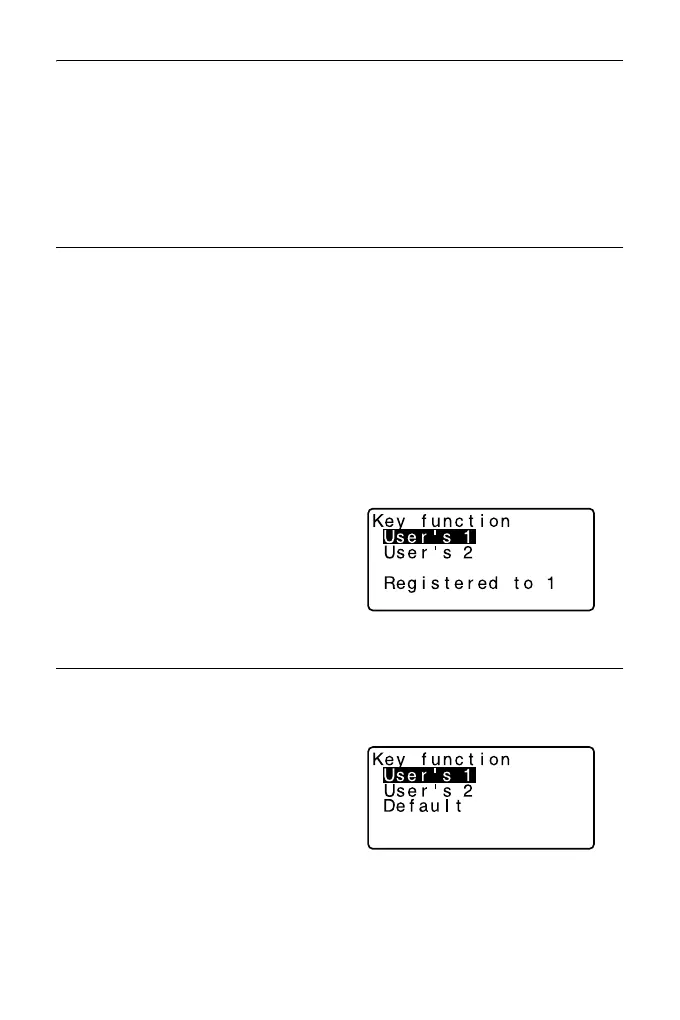
3. Select “Registration.”
Select either “User’1” or “User’2”
as the softkey array to be
registered.
4. Press {ENT}. The softkey array is
registered as user 1 or user 2 and
<Key function> is restored.
PROCEDURE Recalling an allocation
1. Select “Key function” in Config
Mode.
2. Select “Recall.” Select the key
array for either User 1, User 2, or
Default (setting when the ES was
shipped), and press {ENT}.
<Key function> is restored. This
displays the functions in the
recalled array in OBS mode.



 To Next Page