21
5. BASIC OPERATION
6. Press {5} once.
"M" is displayed. Press {ENT } to
complete inputting.
Selecting options
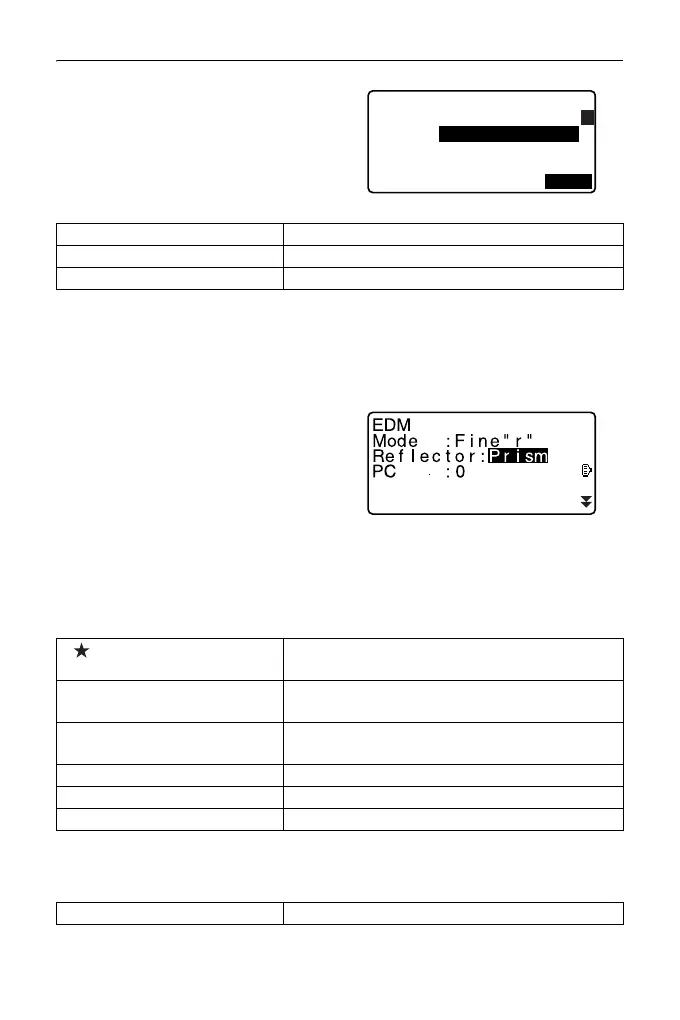
Example: Select a reflector type
1. Press [EDM] in page 2 of OBS mode.
2. Move to “Reflector” using {
}/{}.
3. Display the option you want to
select using {}/{}.
Switches between “Prism”, “Sheet”
and “N-prism.”
4. Press {ENT} or {
} to move to the
next option.
The selection is set and you can
set the next item.
Switching modes
"4.2 Mode Diagram"
Other operation
{}/{} Up and down cursor
{}/{} Right and left cursor/Select other option
{ENT} Accept the option
[] From OBS mode (Observation Mode) to Star
Key Mode
[CNFG] From Status mode to Config Mode (Configura-
tion Mode)
[OBS] From Status mode to OBS mode (Observation
Mode)
[USB] From Status mode to USB Mode
[DATA] From Status mode to Data Mode
{ESC} Return to the Status mode from each Mode
{ESC} Return to the previous screen
JOB details
JOB name
JOB M
SCALE: 1.00000000
A
OK



 To Next Page