45
10. CONNECTING TO EXTERNAL DEVICES
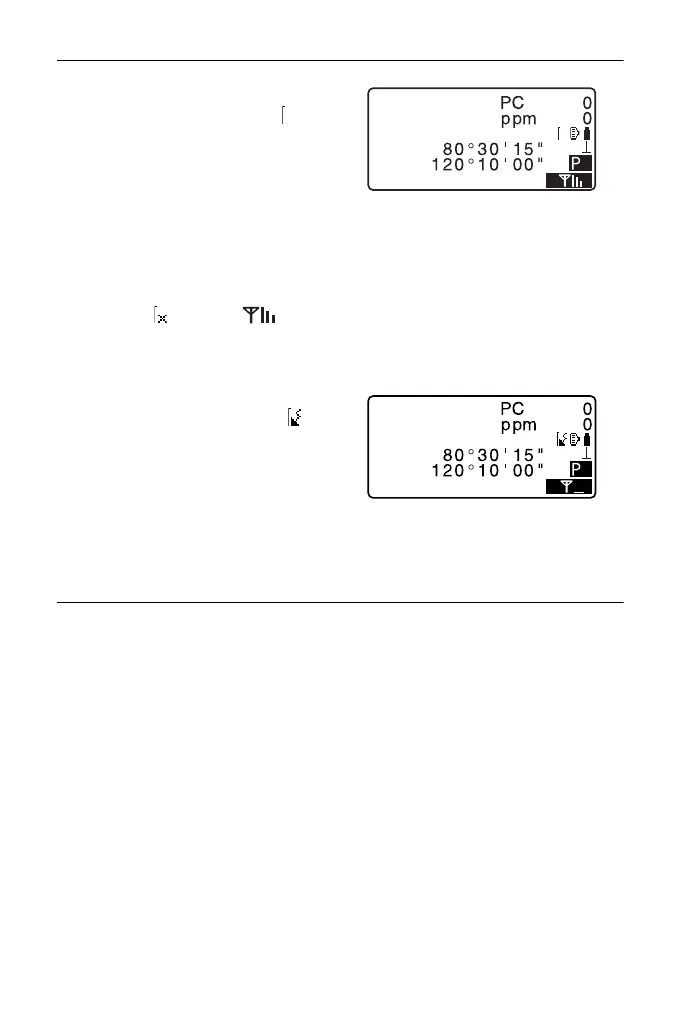
2. Chek that the ES is in waiting
status (Bluetooth symbol is
(flashing)) and start
communication by the data
collector.
Manual of the program
mounted on the data collector
The Bluetooth icon:
"5.2 Display Functions"
• When the ES is not in waiting
status ( ), press [] in
the fourth page of OBS mode
screen.
When a connection is established,
Bluetooth symbol becomes ( ).
3. Terminate the connection by the
data collector.
PROCEDURE Bluetooth communication as "Master"
• When Bluetooth connection mode is set to "Master", the ES starts establishing
a connection between the device selected in "Link".
1. Complete the necessary settings
for Bluetooth communication.
"10.1 Necessary settings for
Bluetooth communication
PROCEDURE Set Bluetooth
communication mode to
"Master""
4
SD
ZA
HA-R
OBS



 To Next Page