NOTE: The maximum number of access controllers is 2 aisle door controllers + 2 x 24 cabinet door lock controllers.
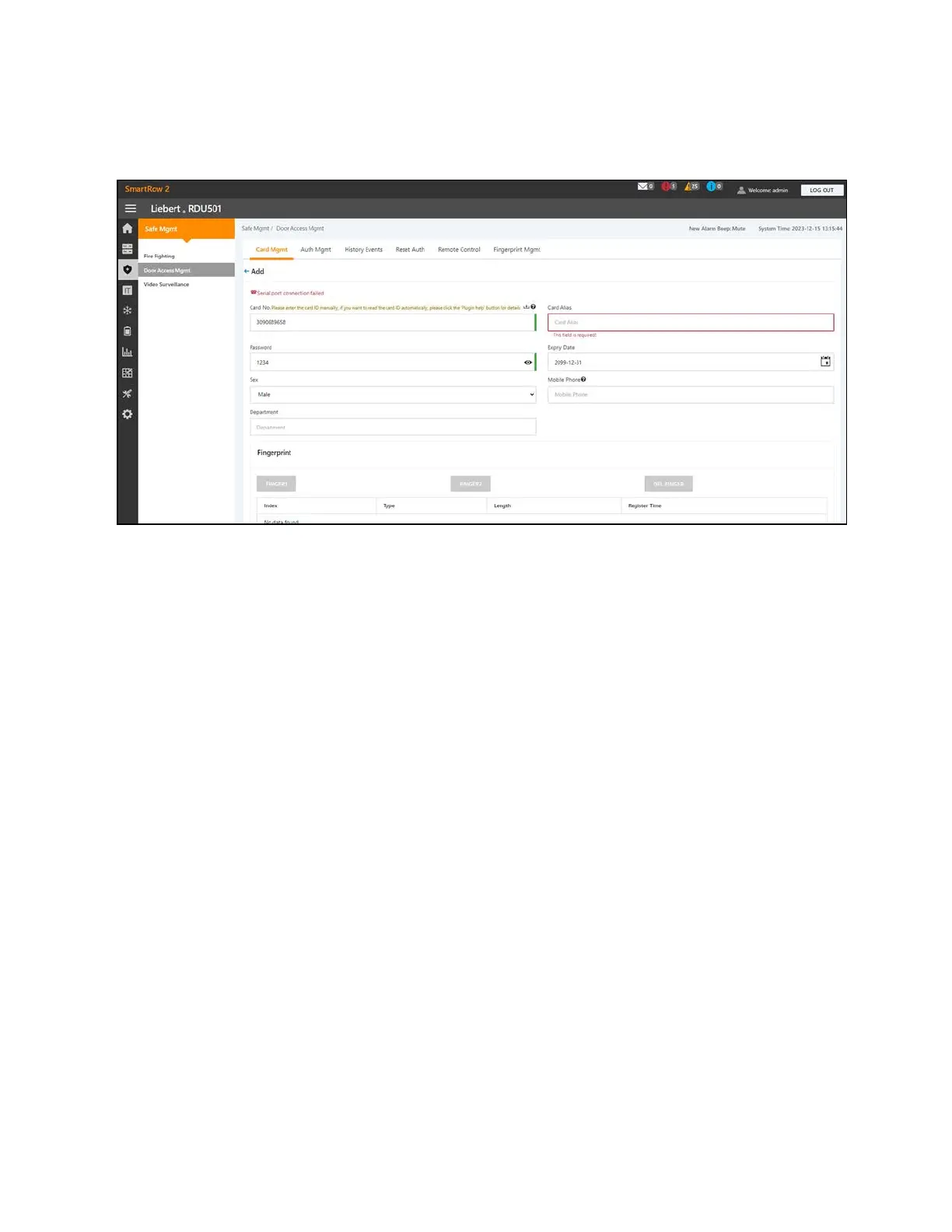
Figure 9.5 Card Management
To navigate through the Card Mgmt tab:
From the Safe Mgmt - Door Access Mgmt tab, click the Card Mgmt tab to perform the following functions:
• Add an access control card.
• Modify a card by clicking the Modify icon next to the Card Alias column.
NOTE: The access control card number cannot be modified.
• Delete a card by clicking the Delete icon next to the Card Alias column.
• View the authorization information of a card by clicking Card Auth Info.
To add an access control card:
1. From the Safe Mgmt - Door Access Mgmt tab, click the Card Mgmt tab.
2. Click the Add button.
3. Enter the required information. Refer to Access Card Parameters on the facing page
4. Click SAVE. The access control card appears in the Card Mgmt tab. Refer to Access Control Card Added on the
facing page .
NOTE: Unless otherwise noted, all parameters are required.
98 Proprietary and Confidential ©2024 Vertiv Group Corp.
9 Vertiv™ Liebert® RDU501
Intelligent Monitoring Unit Web User
Interface (UI)
Vertiv™ SmartRow™ 2 Infrastructure Solution User Guide



 To Next Page