PC Client Introduction
96
4.5.11. Multiviewer Environment Setup
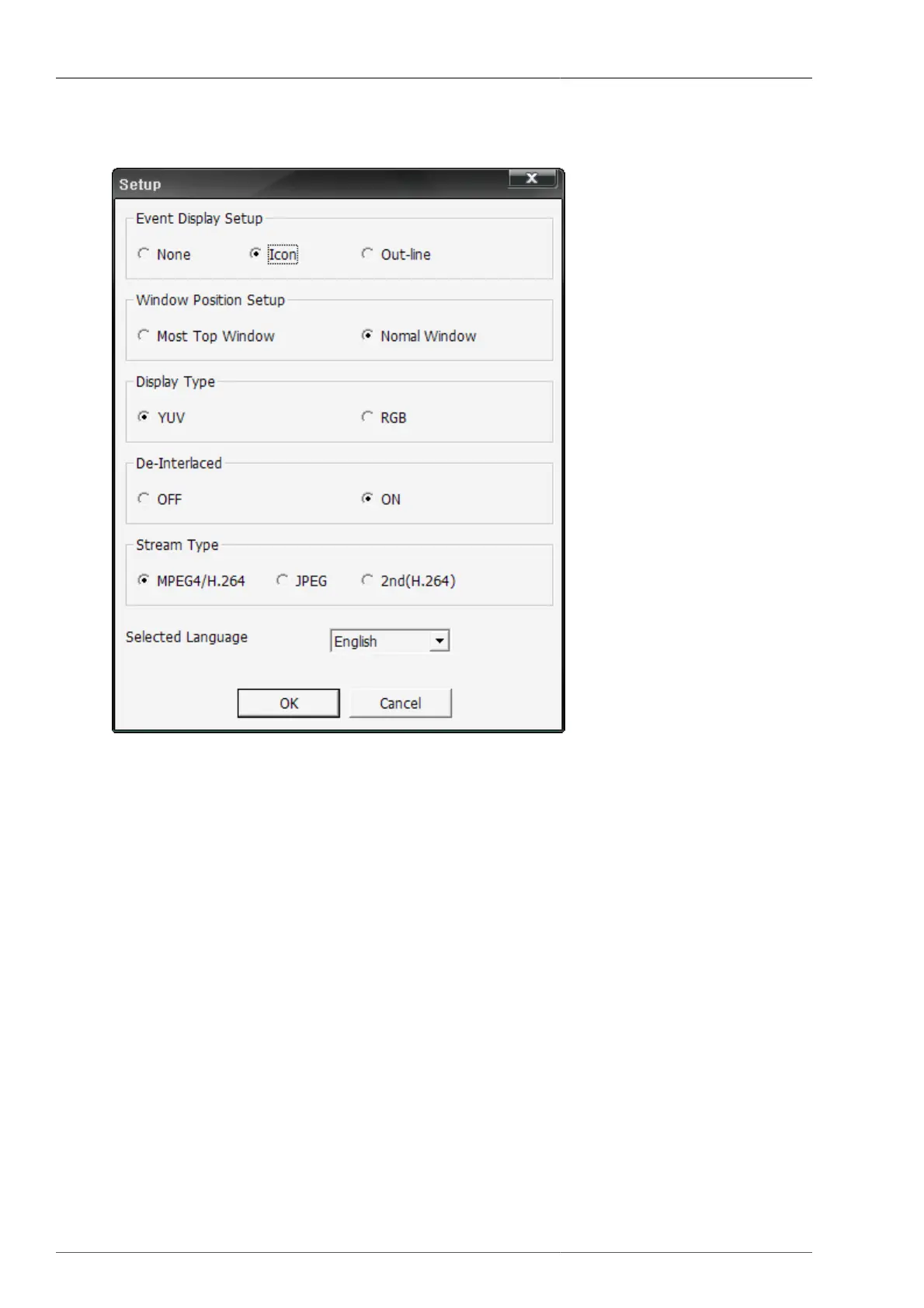
Figure 4.50. Environment Setup Screen
• Event Display Setup : This is to select Event Display Setup (None, Icon, Outer lines)
• Window Location Setup : This is to select if it'll be controlled by the top window, or by the normal window.
• Video Output Type : This is to set up video color type. The video Output speed via YUV display is much faster
than RGB, thanks to DirectX.
• Deinterlace : This is to select if the de-interlaced setting on 720x480 image will be applied.
• Stream type : This is to determine the video encoding type to receive from DVR. (MPEG4,H.264 / JPEG /
Second codec(H.264))
• Language Selection : This is to select the language to be used on the program.



 To Next Page