Main Menu Configuration
40
3.7.6.4. Hard Disk
3.7.6.4.1. Occupied status
It displays the occupied status and total hard disk capacity status.
Used Capacity (GB) / Total Capacity (GB)
3.7.6.4.2. Format
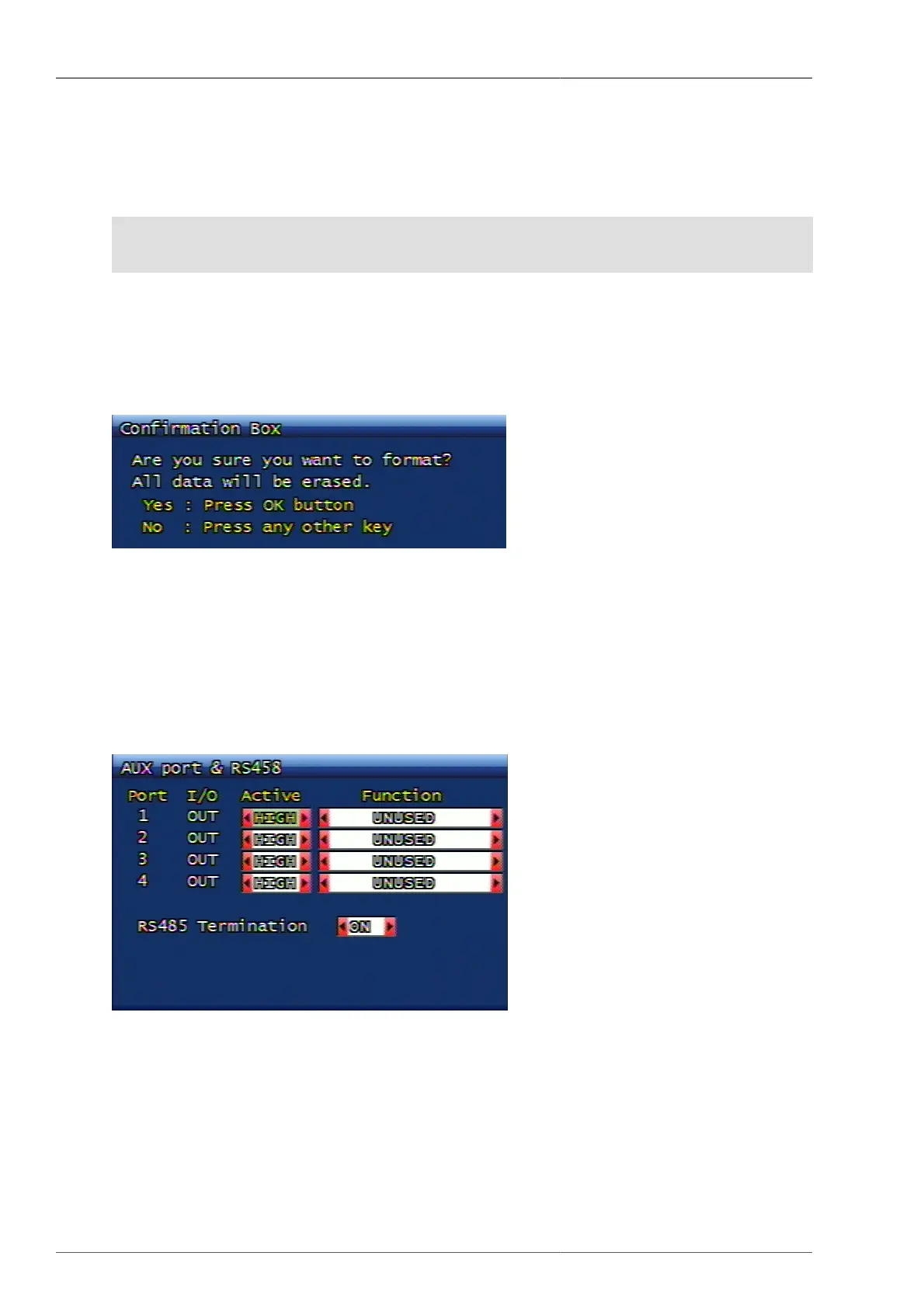
This menu is for HDD format. When the format confirmation window is displayed, if the user selects YES, the
format will be initiated, and if the user selects NO, the format will not be implemented. Once the format is executed,
all HDD information will be erased with rebooting message popup displayed and then the system will start re-
booting.
Figure 3.48. Hard Disk Format Confirmation Screen
If the additional Hard Disk is installed, then HDD addition will be displayed on Hard Disk menu. Maximum 4
HDDs can be installed. The added hard disk will operate like the virtual (extended) hard disk together with the
first hard disk.
3.7.7. AUX Port & RS485
Setting up the AUX Port and RS485
Figure 3.49. Aux Port Setup Screen
3.7.7.1. Operation
This is to set up the operation status as LOW/HIGH can be variable, according to the devices.
3.7.7.2. The function of AUX port
Following is the function and meaning of setup.



 To Next Page