Main Menu Configuration
21
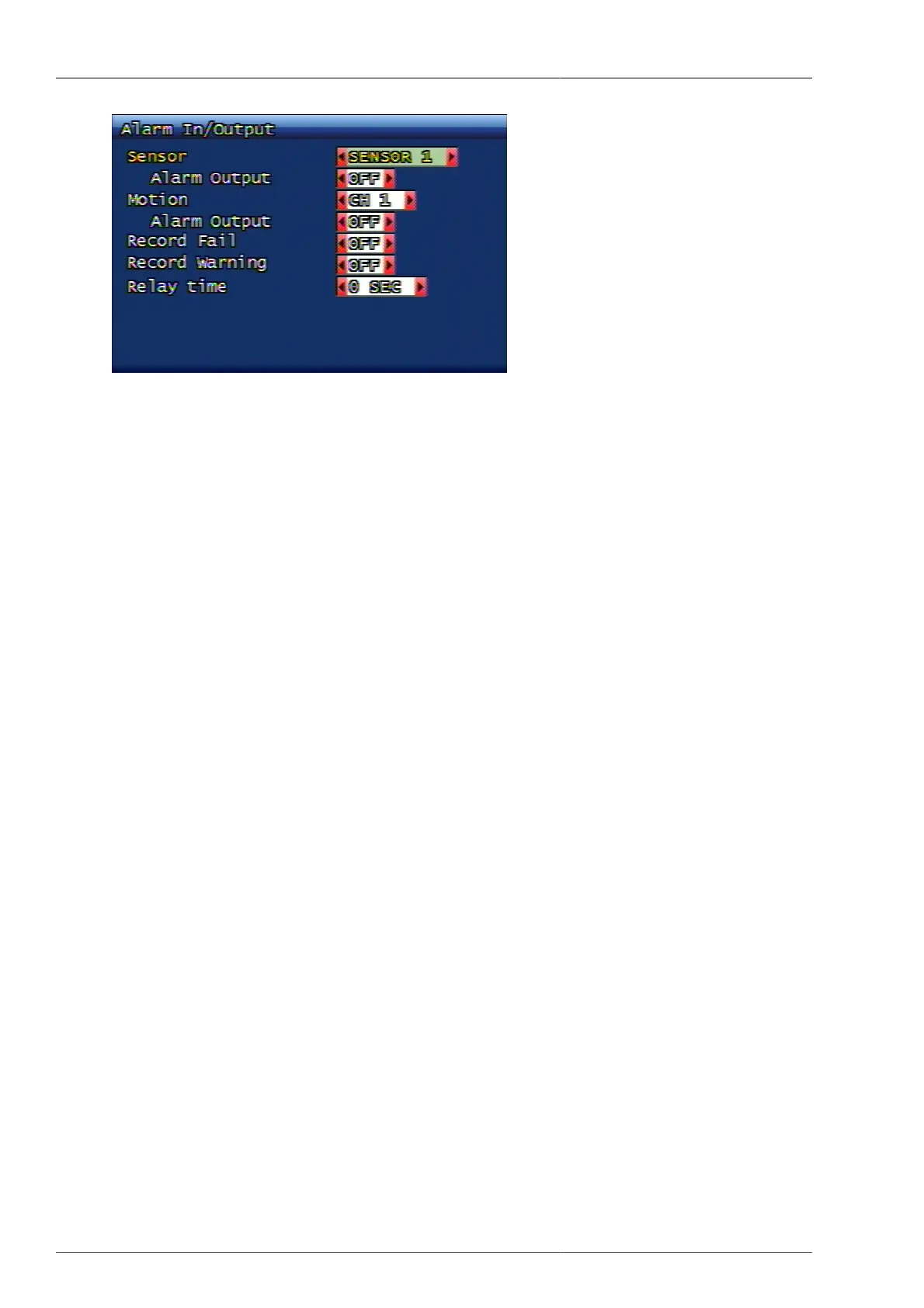
Figure 3.16. Alarm Output Setup Screen
3.3.3.1. Sensor
When the alarm output setup is switched to ON located on the bottom of the sensor menu, it sends the signal to
alarm when the signal is coming into the relevant sensor.
3.3.3.2. Motion
When the alarm output setup is switched to ON located on the bottom of the motion menu, it sends the signal to
alarm when the motion event takes place on the relevant channel.
3.3.3.3. Record Fail
For any reasons, when there's an error under DVR's recording condition, it sends out the alarm output.
3.3.3.4. Record Warning
If there's any warning on recording status for any reasons, DVR sends out the alarm output.
3.3.3.5. Relay Continuous Time
This is to set up the duration time of alarm output. The unit can be set from 0 sec to 60 sec per every 5 sec.
3.3.4. Post-Alarm Continuous Recording Time (Second)
After event termination, the user can set the recording duration time. The unit can be set from 10 sec to 60 sec
per every 10 sec.



 To Next Page